

How to Use Kitchekshop Coffee Warmer
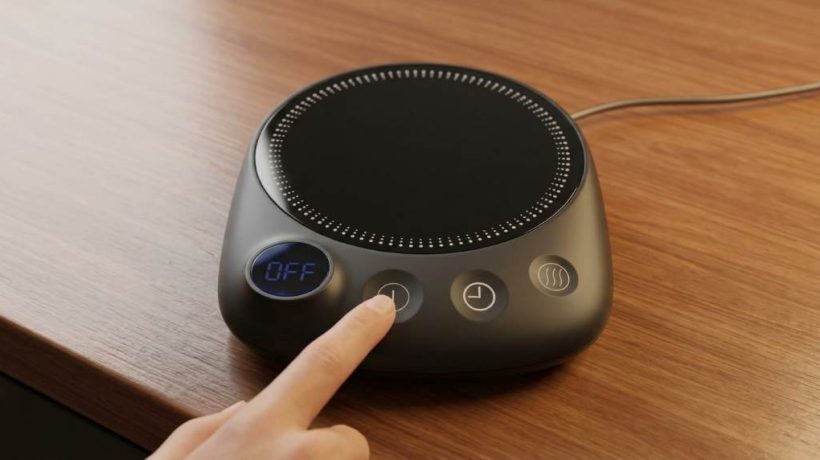
To use a Kitchekshop Coffee Warmer, place your mug on the warming surface and switch the unit on. Keep the mug centered, use a compatible heat resistant cup, and turn the warmer off after your drink reaches your preferred temperature. A Kitchekshop Coffee Warmer works best when you follow its operating and safety instructions carefully. Coffee typically tastes best within a limited temperature range, while reheating can affect flavor. Therefore, a warmer helps maintain heat rather than repeatedly reheating your drink.
Modern coffee warmers also suit desks, home offices, study spaces, and kitchen counters. However, correct placement and mug selection matter more than simply switching the device on. This guide explains setup, daily use, temperature control, cleaning, troubleshooting, and safe storage.
Key Takeaways
- Place the warmer on a stable, dry, heat resistant surface.
- Center your mug directly over the heating area.
- Use a flat bottom mug that sits securely on the warmer.
- Keep liquids away from electrical connections and controls.
- Clean spills promptly after switching the warmer off.
- Do not leave the appliance operating unattended for long periods.
Understand How the Coffee Warmer Works
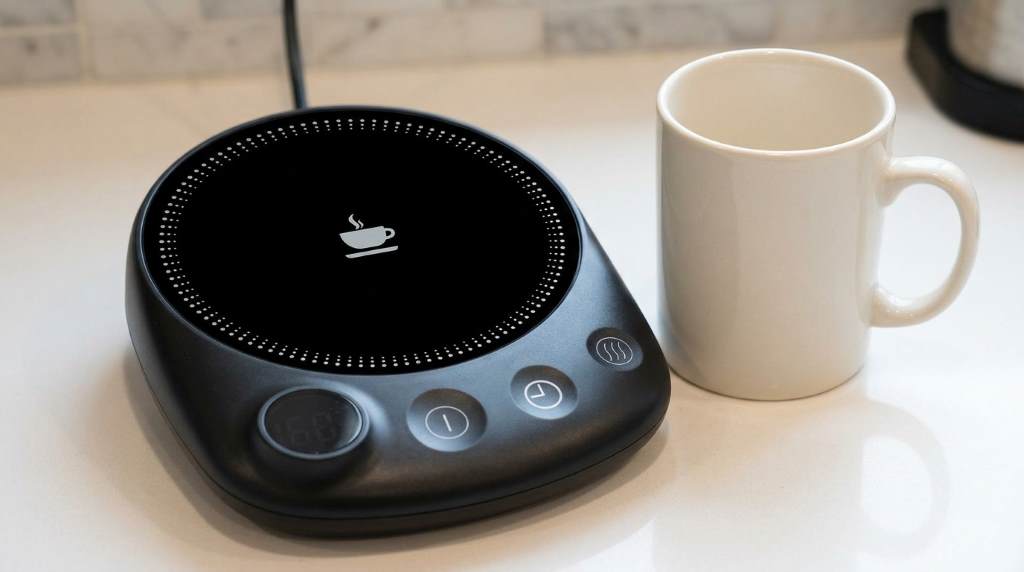
A coffee warmer transfers gentle heat through its warming surface into the base of your mug. Instead of rapidly heating cold coffee, it helps slow the drink’s natural cooling process. Consequently, the device works best with freshly poured coffee that remains reasonably warm.
The heating element sits beneath the warming surface, while the outer housing protects the electrical components. When powered, the element produces controlled heat across the contact area. Therefore, keeping the mug base flat and centered helps maintain consistent contact.
What the Warmer Can and Cannot Do
A coffee warmer primarily maintains beverage warmth rather than functioning like a kettle. It may gradually warm a drink, but results depend on the mug material, beverage volume, and starting temperature.
For that reason, avoid expecting refrigerator cold coffee to become piping hot quickly. Instead, pour a fresh drink into a suitable mug and use the warmer to maintain its temperature.
Prepare the Warmer Before First Use
Before connecting the warmer, inspect the appliance for visible damage, loose parts, or damaged wiring. Also check the power cord, plug, heating surface, and surrounding housing.
Next, place the warmer on a level, dry, heat resistant surface near a suitable electrical outlet. Keep enough space around the appliance for ventilation and comfortable access.
Choose the Right Mug
Your mug strongly affects how efficiently the warmer transfers heat. A flat bottom creates better contact than a rounded or heavily textured base.
Ceramic mugs generally work well because they provide a stable base and hold heat reasonably well. Avoid unstable cups, cracked mugs, and containers that can easily tip.
- Choose a flat and stable mug base.
- Avoid damaged or cracked containers.
- Keep the mug size compatible with the warming surface.
- Do not use containers that wobble when placed down.
How to Use the Coffee Warmer Step by Step
Using the warmer requires only a few straightforward steps. Still, following the correct sequence reduces spills and helps the appliance perform consistently.
Step 1: Place the Warmer Correctly
Set the warmer on a stable, dry, level surface before connecting the power cord. Keep it away from sinks, dripping faucets, wet countertops, and other moisture sources.
Then position the appliance where you can easily reach its controls without moving the mug. This arrangement also reduces accidental knocks during regular use.
Step 2: Connect the Power
Plug the warmer into a suitable electrical outlet according to its operating instructions. Avoid using damaged cords, loose outlets, or unsuitable electrical accessories.
After connecting power, check whether the warmer shows an indicator light or other operating signal. If nothing happens, check the connection before placing a drink on the surface.
Step 3: Add Your Coffee
Pour your coffee into a suitable mug before placing it on the warming surface. Leave enough room inside the mug to prevent accidental overflow.
Next, place the mug carefully in the center of the warming area. Centering improves contact and reduces the chance of tipping the cup.
Step 4: Activate the Warmer
Switch the warmer on using its power control or operating button. If your model includes temperature settings, start with a moderate setting.
Allow the coffee to warm gradually rather than repeatedly changing settings. This approach gives you better control and helps prevent excessive heating.
Step 5: Monitor Your Drink
Check the coffee periodically while using the warmer. Stirring gently can distribute heat throughout the beverage when appropriate.
However, avoid touching the warming surface directly because it can become hot during operation. Always handle the mug by its safe gripping area.
Step 6: Switch It Off After Use
Turn the warmer off when you finish drinking or no longer need the heat. Then disconnect the power when the appliance has cooled sufficiently.
Finally, inspect the surface for spills and clean it according to the manufacturer’s care instructions. Proper shutdown prevents unnecessary operation and keeps your workspace safer.
How to Keep Coffee Warm Without Ruining Flavor
A warmer can preserve coffee temperature, but excessive heat can change the drink’s taste. Therefore, aim for steady warmth instead of maximum heat whenever your model allows temperature adjustment.
Fresh coffee also performs better than coffee that has already cooled completely. Pouring a fresh serving into the mug gives the warmer less work and usually produces a better drinking experience.
Use Smaller Servings
Large volumes often cool differently from smaller servings because the mug and surrounding air affect heat loss. Smaller servings can also provide more consistent temperature control during extended work sessions.
Consequently, pour only the amount you expect to drink within a reasonable period. Refill the mug with fresh coffee when necessary instead of keeping one serving warm indefinitely.
Common Mistakes to Avoid
Most coffee warmer problems come from simple usage mistakes rather than complicated electrical faults. Fortunately, you can prevent many issues through careful placement and regular cleaning.
- Do not place the warmer on a wet surface.
- Do not cover the appliance while it operates.
- Do not overload the warming surface with heavy objects.
- Do not place paper, cloth, or other flammable materials underneath it.
- Do not immerse the appliance or power cord in water.
- Do not continue using the unit after visible electrical damage.
- Do not leave spilled coffee sitting around controls or electrical connections.
Cleaning and Maintaining the Warmer
Always switch the warmer off and disconnect power before cleaning it. Allow the heating surface to cool completely before wiping away coffee residue.
Use a soft, slightly damp cloth for routine surface cleaning unless the manufacturer’s instructions specify another method. Avoid abrasive cleaners that can scratch the surface or damage its finish.
Handle Coffee Spills Quickly
Spilled coffee can leave sticky residue around the warming surface and controls. Therefore, wipe spills promptly after disconnecting the appliance and allowing it to cool.
Never pour cleaning liquid directly onto the warmer. Instead, dampen the cloth lightly and clean the surface with controlled movements.
Troubleshoot Common Problems
| Problem | Possible Cause | What to Do |
|---|---|---|
| Warmer does not turn on | Power connection issue | Check the plug, outlet, and power control. |
| Coffee stays cool | Poor mug contact | Center a flat bottom mug on the warming area. |
| Surface feels unusually hot | Normal heating behavior or setting | Reduce the setting if adjustable and follow the manual. |
| Indicator does not illuminate | Power or indicator fault | Disconnect the unit and inspect the connection safely. |
| Surface has sticky residue | Dried coffee spill | Cool the warmer and wipe it with a soft damp cloth. |
When to Stop Using the Warmer
Stop using the appliance if you notice exposed wiring, a damaged plug, burning odors, smoke, or unusual electrical behavior. Disconnect power safely and avoid attempting electrical repairs yourself.
Similarly, stop operation if the housing becomes damaged or the appliance behaves differently from its normal operation. Follow the manufacturer’s support and safety guidance before using it again.
Improve Your Daily Coffee Routine
Place the warmer close enough to reach comfortably but away from crowded workspace areas. This simple setup reduces accidental knocks while keeping your coffee within easy reach.
Next, use a dedicated mug with a stable base and comfortable handle. Keeping the same suitable mug nearby makes daily setup faster and more predictable.
For longer work sessions, check your coffee periodically instead of leaving it unattended for hours. This habit helps you control flavor, temperature, and appliance use more effectively.
Safety Practices for Everyday Use
Electrical appliances require extra care around liquids, even when their design supports beverage warming. Keep the power connection dry and position the cord where people cannot easily pull it.
Furthermore, keep children and pets away from the active warming surface. Never place your hand directly on the heating area to test its temperature.
Always follow the specific operating instructions supplied with your Kitchekshop model. Product controls and safety features can vary between versions, so the model instructions take priority.
Frequently Asked Questions
Can you leave coffee on a Kitchekshop Coffee Warmer?
You can use the warmer during normal operation, but switch it off when you finish and avoid prolonged unattended use.
What type of mug works best?
A flat bottom, stable mug that sits securely across the warming surface generally provides better heat contact.
Can the warmer heat cold coffee?
It may warm coffee gradually, but coffee warmers primarily maintain warmth rather than rapidly heating cold beverages.
How should you clean the warmer?
Disconnect power, let the surface cool, then wipe it gently with a soft damp cloth.
Why does my coffee still cool down?
Mug material, surface contact, beverage volume, room temperature, and the warmer’s heat output can all affect cooling.
Final Thoughts
Learning how to use a Kitchekshop Coffee Warmer takes only a few simple habits. Use a stable mug, center it properly, control the heat sensibly, and keep the appliance dry.
Most importantly, treat the warmer as a temperature maintenance tool rather than a rapid heating appliance. Follow the model’s instructions, clean spills promptly, and switch the unit off after use.
Set up your warmer correctly today, then build these simple steps into your daily coffee routine. A careful setup can make warm coffee more convenient without adding unnecessary complexity.
How to Use Kepwam Self Heating Coffee Mug T2?
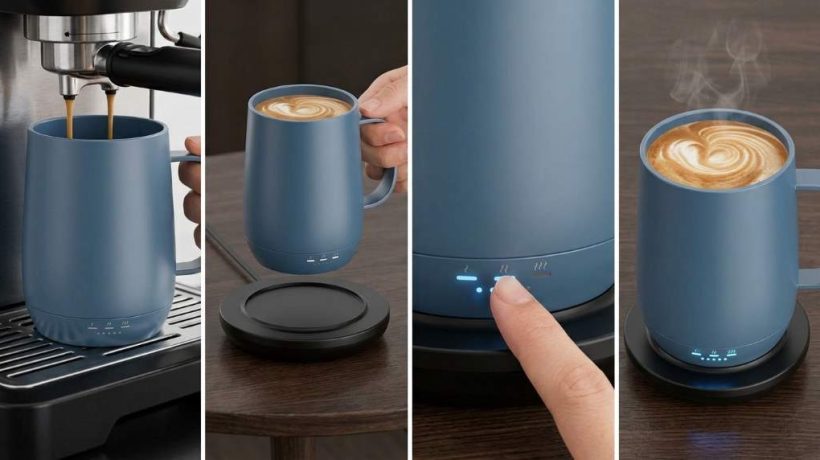
To use the Kepwam Self Heating Coffee Mug T2, fully charge it, add your drink, power it on, and select a temperature. The mug holds 16 ounces and offers three settings, with the highest reaching 149°F for controlled everyday warming.
If you want consistent heat without an app, this mug keeps the process simple. The Kepwam Self Heating Coffee Mug T2 combines a rechargeable battery, charging coaster, physical button, and smart display.
Key Takeaways
- Fully charge the mug before your first use and before longer sessions.
- Use the single button to power the mug and cycle through temperature settings.
- Use the lid whenever possible because it helps reduce heat loss and improve battery efficiency.
- Keep the mug on its charging coaster when you want continuous warming at your desk.
- Hand wash the mug and lid, and never submerge the electrical base.
- Keep the mug and charging contacts completely dry before charging.
What You Need Before Using the Mug
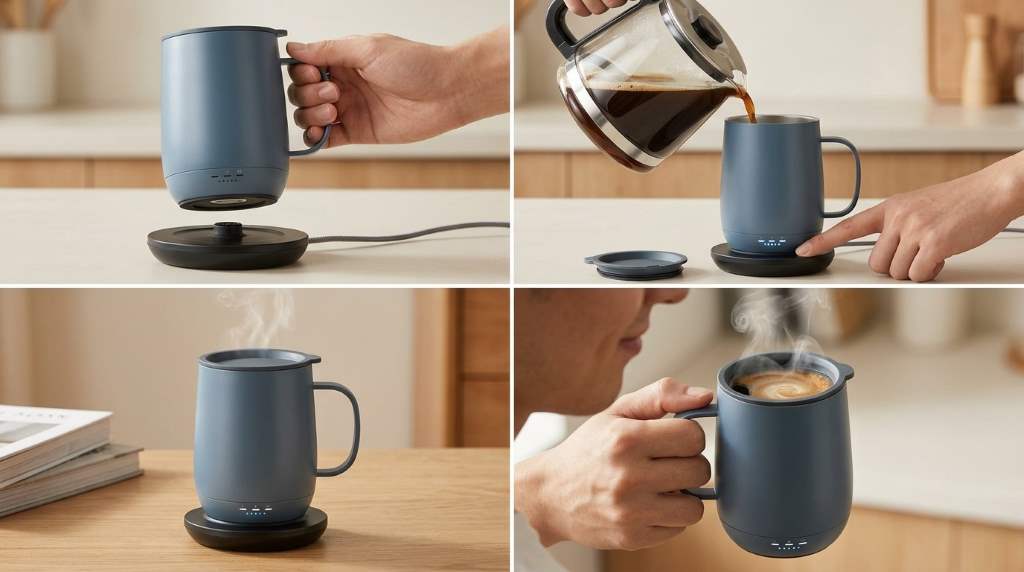
The T2 comes with the heated mug, charging coaster, power adapter, and sliding lid. Before starting, place the coaster on a stable, dry surface near a suitable power outlet.
Next, inspect the mug and charging contacts for moisture or residue. Because the T2 contains electronic components and a rechargeable battery, dry connections support safer and more reliable charging.
Check the Model Before Setup
Kepwam sells several heated mug models, so confirm that your unit matches the TCM2 or T2 designation. This matters because other Kepwam models can have different capacities, controls, or battery specifications.
For the T2, the documented capacity reaches 16 ounces, while the maximum temperature reaches 149°F. Therefore, avoid applying instructions from another Kepwam model without checking its specific manual.
How to Charge the Kepwam T2
Start by connecting the supplied power adapter to the charging coaster. Then place the mug squarely on the coaster so the charging contacts align correctly.
Allow the mug to charge fully before its first use. A full charge gives you more flexibility when you want to use the mug away from the coaster.
How to Get a Reliable Charge
First, keep both the coaster and mug base completely dry. Then make sure the mug sits evenly rather than resting at an angle.
If charging does not begin, remove the mug and inspect the contact points. Wipe them with a dry, soft cloth, reconnect the coaster, and position the mug again.
Also, use the supplied charging equipment rather than experimenting with an incompatible adapter. This approach reduces avoidable charging and electrical problems.
How to Use the T2 Step by Step
Once the battery has enough charge, prepare your coffee, tea, hot chocolate, or another suitable beverage. Pour it into the mug without exceeding the maximum fill level.
Afterward, secure the sliding lid if you want better heat retention. Then press and hold the power button until the mug activates.
- Place the charged mug on a dry, stable surface.
- Pour your prepared beverage into the mug.
- Keep the liquid below the maximum capacity mark.
- Attach the sliding lid securely.
- Press and hold the power button to turn the mug on.
- Short press the button to cycle through temperature settings.
- Watch the display to confirm your selected setting.
- Return the mug to the coaster for extended warming.
How to Set the Right Temperature
The T2 provides three temperature settings: 113°F, 131°F, and 149°F. Each setting suits a different drinking preference and warming requirement.
| Setting | Temperature | Best Use |
|---|---|---|
| Warm | 113°F | Slow sipping and gentle warmth |
| Hot | 131°F | Everyday coffee and tea |
| Piping | 149°F | Maximum available warming |
For longer battery use, start with the warm or hot setting when it suits your drink. Meanwhile, reserve the highest setting for situations where you specifically want stronger heat.
Remember that the selected temperature controls warming rather than instantly heating a cold beverage. Starting with a properly prepared hot drink gives the mug less work to do.
How Long Does the T2 Stay Warm?
Battery performance changes with temperature and lid use. The published T2 guidance estimates about six hours at 113°F with the lid and about three hours at 149°F with the lid.
Without the lid, those estimates fall because the drink loses heat faster. Therefore, the lid plays an important role when you use the mug away from its charging coaster.
| Temperature | With Lid | Without Lid |
|---|---|---|
| 113°F | Up to 6 hours | Up to 3 hours |
| 131°F | Up to 4 hours | Up to 2 hours |
| 149°F | Up to 3 hours | Up to 1.5 hours |
These figures represent estimated operating times rather than guaranteed results for every session. Room temperature, starting beverage temperature, lid use, and battery condition can all affect actual performance.
How to Use the Charging Coaster for All Day Warmth
The charging coaster works especially well for office desks, reading areas, and home workspaces. Place the powered coaster on a stable surface and keep the mug seated correctly.
When the mug remains on the coaster, the documented guidance allows continuous warming. Consequently, you can sip slowly without relying entirely on the internal battery.
Best Desk Setup
Keep the coaster away from spilled liquids and crowded workspace edges. Also, leave enough room to lift the mug without pulling against the power cable.
For long work sessions, select a moderate temperature and keep the lid closed between sips. This simple routine reduces unnecessary heat loss and makes the system more efficient.
How to Use the Lid Correctly
The sliding lid does more than reduce spills. It also slows heat loss, which can help the drink stay closer to your selected temperature.
Before drinking, open the sliding section enough to create a comfortable drinking opening. Afterward, close it again while the mug sits unused.
Clean the lid carefully because its sliding mechanism can collect coffee residue. Avoid forcing the slider if it feels stiff, and rinse away residue with gentle hand washing.
How to Clean the Kepwam T2 Safely
Always turn the mug off before cleaning it. Remove the mug from the charging coaster and keep the electrical base away from standing water.
Wash the mug and lid by hand with mild soap and water. The T2 guidance specifically warns against dishwashers, microwaves, excessive hot water, and submerging electrical components.
Follow This Cleaning Routine
- Turn off the mug before washing.
- Remove the lid and wash it separately.
- Clean the drinking area with mild soap and water.
- Keep the electrical base out of standing water.
- Rinse away soap without flooding the base.
- Dry the mug thoroughly before charging.
- Dry the charging contacts before placing the mug on the coaster.
After cleaning, pay particular attention to the bottom of the mug. Moisture around the charging contacts can interfere with reliable charging and create unnecessary electrical risk.
What Not to Do With the T2
Do not place the Kepwam T2 in a microwave or dishwasher. The heating system, battery, and electrical components require different handling from an ordinary ceramic coffee cup.
Likewise, never submerge the electrical base or attempt to open the mug. Use the supplied charging equipment and contact the manufacturer for technical problems that require internal repair.
- Do not microwave the mug.
- Do not put the mug in a dishwasher.
- Do not submerge the electrical base.
- Do not charge it with wet contacts.
- Do not exceed the maximum fill level.
- Do not disassemble the mug yourself.
How to Fix Common T2 Problems
The Mug Does Not Heat
First, confirm that the mug has enough battery charge and that you turned it on correctly. Next, check whether liquid remains inside because the heating system does not operate as an empty vessel.
If the mug sits on the coaster, confirm that the coaster connects to power. Then reseat the mug and check the charging contacts for moisture or debris.
The Mug Will Not Charge
Check the power adapter and outlet before inspecting the mug. Afterward, clean and dry the charging contacts, then position the mug carefully on the coaster.
If charging still fails, avoid repeated experimentation with other adapters. Persistent problems require manufacturer support rather than user disassembly.
The Drink Feels Cooler Than Expected
First, confirm the selected temperature on the display. Then secure the lid because an uncovered drink can lose heat quickly.
Also consider the starting beverage temperature and surrounding conditions. The T2 maintains warmth more effectively when you begin with a properly heated beverage.
Ways to Improve Battery Performance
Battery life depends heavily on how much heat the mug must maintain. Therefore, starting with a hot beverage and using the lid can reduce the heating workload.
For everyday desk use, keep the mug on its coaster whenever practical. When portability matters, charge fully first and use a moderate temperature whenever that meets your preference.
- Start with a properly heated drink.
- Keep the lid closed between sips.
- Use moderate heat for longer sessions.
- Charge fully before extended portable use.
- Return the mug to its coaster when available.
Best Drinks for the Kepwam T2
The T2 works naturally with coffee, tea, hot chocolate, and similar beverages. Choose the temperature according to the drink and your personal drinking preference.
For milk based drinks, avoid leaving the beverage unattended for extended periods. Clean the mug promptly afterward because dairy residue can become harder to remove.
What Makes the T2 Different From Basic Mug Warmers?
A conventional mug warmer heats the vessel from below while the mug remains connected to a power source. The T2 adds an internal rechargeable battery, temperature selection, and direct controls.
That distinction makes the T2 more flexible for short periods away from the coaster. However, the highest heat setting consumes more battery, so portability and maximum heat involve a practical tradeoff.
A Simple Daily Routine for Better Results
A consistent routine makes the T2 easier to use and maintain. Start each day with a clean mug, a dry base, and enough battery for your planned session.
Then prepare your drink, select a suitable temperature, and use the lid between sips. Finally, clean the mug after use and recharge it when you finish.
- Check the battery before preparing your drink.
- Confirm that the base and contacts remain dry.
- Prepare a hot beverage.
- Fill below the maximum level.
- Turn on the mug and select the temperature.
- Keep the lid closed between drinks.
- Use the coaster for extended warming.
- Hand wash and dry the mug afterward.
Frequently Asked Questions
How do you turn on the Kepwam T2?
Press and hold the power button until the mug activates and the display shows its status.
What temperatures does the Kepwam T2 offer?
The T2 provides 113°F, 131°F, and 149°F temperature settings.
Can you put the Kepwam T2 in the dishwasher?
No, the T2 requires hand washing because its electrical components cannot safely enter a dishwasher.
Can you microwave the Kepwam T2?
No, never place the T2 in a microwave because it contains a rechargeable battery and electronic components.
Can the Kepwam T2 stay warm on its charging coaster?
Yes, the documented operating guidance states that the mug can maintain warmth indefinitely while positioned on its powered coaster.
Final Thoughts
Using the Kepwam T2 becomes straightforward once you understand its charging, temperature, lid, and cleaning routine. Fully charge it, start with a hot beverage, select your preferred setting, and keep the lid closed between sips.
For extended desk sessions, use the charging coaster to maintain warmth continuously. For portable use, charge beforehand and select a moderate setting when you want to stretch battery performance.
Follow the care instructions carefully, especially the hand washing and dry contact requirements. With that routine, the T2 can provide a simple way to keep coffee and other drinks warm throughout your day.
Save this guide for your first setup, then follow the daily routine to get more consistent performance from your Kepwam T2.
How to Clean House Gem Coffee Mug Warmer
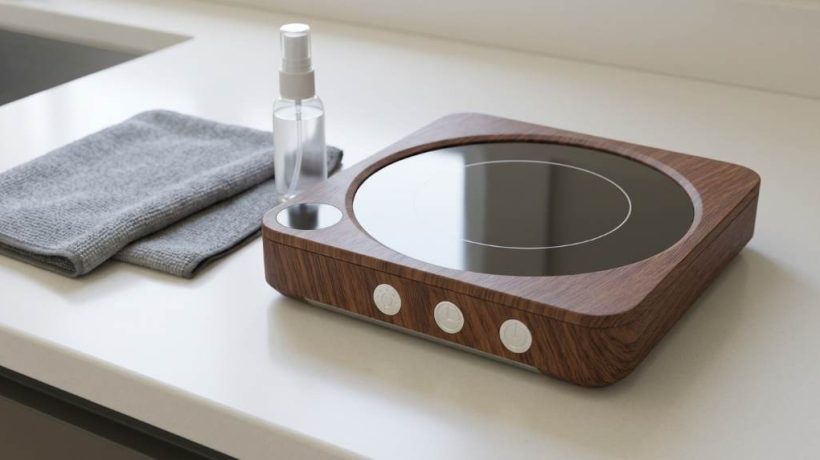
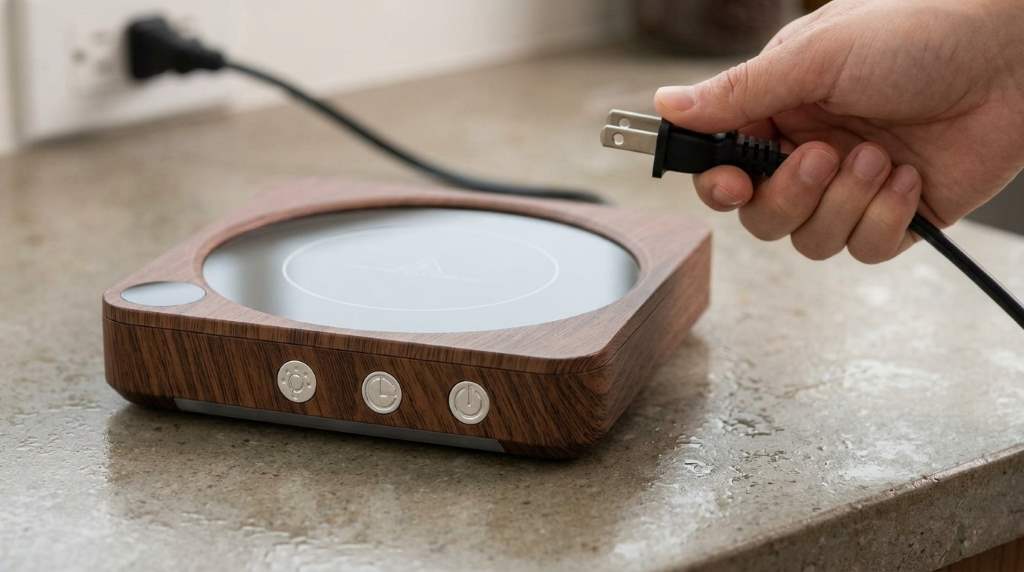
Clean a House Gem Coffee Mug Warmer with a soft damp cloth, mild dish soap, and careful drying. Unplug the warmer first, avoid soaking it, and keep moisture away from electrical openings and controls.
A clean warmer removes coffee residue before it hardens around the heating surface. For context, coffee remains one of the most widely consumed beverages, with many adults drinking it daily. The House Gem Coffee Mug Warmer also benefits from regular cleaning because spills can affect surface performance.
Fortunately, routine cleaning takes only a few minutes when you use the right method. This guide explains safe cleaning steps, stubborn stain removal, drying, maintenance, and mistakes that can damage the warmer.
Key Takeaways
- Always unplug the warmer before cleaning or handling residue.
- Use a soft damp cloth instead of running water over the unit.
- Apply mild dish soap to the cloth, not directly onto the warmer.
- Never immerse the warmer or allow liquid near electrical openings.
- Remove dried coffee gently without scratching the heating surface.
- Dry every surface completely before reconnecting the power.
Why Regular Cleaning Matters
Coffee spills often contain oils, milk, sugar, and other ingredients that leave stubborn residue. Over time, that residue can create sticky patches and unpleasant odors around the warming surface.
Moreover, dried liquid can collect along edges and seams where cleaning becomes harder. Regular wiping prevents buildup and keeps the warmer looking cleaner between uses.
A clean surface also makes it easier to notice damage, cracks, frayed cords, or unusual discoloration. Therefore, cleaning provides a useful opportunity for a quick safety inspection.
What You Need Before Cleaning
You only need a few household items for routine cleaning. Gather them before starting so you can clean the warmer without rushing.
- Soft microfiber or cotton cloth
- Warm water
- Mild dish soap
- Clean dry towel
- Soft cotton swab for narrow areas
A microfiber cloth works particularly well because it removes residue without creating unnecessary scratches. However, avoid abrasive pads, scouring powders, steel wool, and stiff brushes.
How to Clean the Mug Warmer Safely
1. Unplug the Warmer Completely
First, disconnect the mug warmer from the electrical outlet. Never clean an energized warmer because moisture can create an electrical hazard.
Next, allow the heating surface to cool completely if you recently used it. A cool surface also makes residue easier to inspect and remove safely.
2. Remove Loose Residue
Wipe the surface with a dry, soft cloth before adding moisture. This step removes crumbs, loose coffee particles, and other dry debris.
Then inspect the edges for dried liquid or sticky deposits. Use gentle pressure because aggressive scrubbing can damage the surface finish.
3. Prepare a Mild Cleaning Solution
Mix a small amount of mild dish soap with warm water. Keep the solution lightly soapy rather than heavily concentrated.
Dip the cloth into the solution and wring it thoroughly. The cloth should feel damp, not wet enough to release drops.
4. Wipe the Heating Surface
Gently wipe the warming surface using small circular motions. Work across the entire area while paying attention to visible coffee rings.
Afterward, use a second cloth dampened with plain water. Wipe away remaining soap without allowing water to collect around controls or openings.
5. Clean the Edges and Controls
Use a lightly dampened cloth around the outer edges of the warmer. For narrow spaces, a barely damp cotton swab can remove small deposits.
However, keep moisture away from electrical connectors, switches, indicator lights, and cable entry points. Never push liquid into gaps while cleaning.
6. Dry Everything Thoroughly
Use a clean, dry towel to remove remaining moisture from the warmer. Then leave the unit unplugged until every surface feels completely dry.
Do not reconnect the warmer simply because the surface looks dry. Hidden moisture can remain around seams and electrical areas longer than expected.
How to Remove Dried Coffee Stains
Dried coffee can become surprisingly stubborn when sugar, cream, or milk remains on the surface. Start with a warm, damp cloth and let it rest over the residue briefly.
After several minutes, wipe the softened residue gently. Repeat the process instead of applying excessive force to remove one difficult spot.
For persistent residue, add a tiny amount of mild dish soap to the damp cloth. Avoid harsh cleaners because they may affect the finish or leave unwanted residue.
How to Handle Sticky Sugar or Milk Residue
Sugary drinks can leave a tacky film that attracts dust and other particles. Milk residue can also develop an unpleasant smell when you leave it untreated.
First, soften the residue with a warm damp cloth. Then wipe repeatedly with gentle pressure until the surface feels smooth again.
Finally, wipe the area with clean water and dry it thoroughly. This final step removes soap and dissolved food residue that could remain behind.
Cleaning Different Parts of the Warmer
| Part | Cleaning Method | Important Precaution |
|---|---|---|
| Heating surface | Damp soft cloth | Do not scratch or soak |
| Outer housing | Lightly damp cloth | Keep moisture away from openings |
| Controls | Barely damp cloth | Never spray cleaner directly |
| Power cord | Dry or slightly damp cloth | Inspect for damage first |
| Edges and seams | Damp cotton swab | Prevent liquid from entering gaps |
What You Should Never Use
Some cleaning products can cause unnecessary damage to a coffee mug warmer. Strong chemicals, abrasive cleaners, and rough scrubbers should stay away from the heating surface.
- Do not immerse the warmer in water.
- Do not rinse the electrical unit under a faucet.
- Do not use bleach or strong chemical cleaners.
- Do not scrub with steel wool or abrasive pads.
- Do not spray cleaning liquid directly onto the warmer.
- Do not reconnect the unit while it remains damp.
Additionally, avoid scraping residue with knives, metal spoons, or other sharp objects. Scratches can make future cleaning harder and may damage the surface.
How Often Should You Clean It?
Clean the warmer whenever a noticeable spill occurs. Prompt cleaning prevents coffee, milk, and sugar from drying into harder deposits.
For frequent users, wipe the surface at least several times each week. A deeper wipe becomes useful whenever visible buildup develops around the heating area.
If you regularly use cream, milk, flavored syrups, or sweeteners, clean the warmer more frequently. These ingredients can leave more residue than plain black coffee.
Common Cleaning Mistakes
Cleaning While Plugged In
Never wipe a wet cloth across an energized electrical appliance. Unplugging the warmer removes an unnecessary electrical risk during cleaning.
Using Too Much Water
More water does not mean better cleaning for electrical appliances. Excess moisture can enter openings and create problems after cleaning.
Scrubbing Too Hard
Hard scrubbing can leave scratches when softer cleaning methods would work. Instead, soften stubborn residue and repeat gentle wiping.
Ignoring the Power Cord
The cord deserves occasional inspection during routine cleaning. Stop using the warmer if you notice exposed wires, severe cracking, or other visible damage.
Reconnecting Too Quickly
Even small amounts of hidden moisture can create problems when electricity returns. Give the warmer enough time to become completely dry before use.
A Simple Five Minute Cleaning Routine
You can keep the warmer clean without making maintenance complicated. A short routine works well when you perform it consistently.
- Unplug the warmer and let the surface cool.
- Remove loose crumbs and dry residue.
- Wipe the surface with a mildly soapy damp cloth.
- Remove soap with a clean damp cloth.
- Dry the entire unit before storing or using it.
This routine works especially well after accidental spills. By cleaning residue before it hardens, you reduce the need for stronger scrubbing later.
When Cleaning Is Not Enough
Cleaning cannot fix every problem that appears on a mug warmer. Persistent electrical issues require attention beyond ordinary surface maintenance.
Stop using the unit if you notice burning smells, damaged wiring, unusual sparking, or visible electrical damage. Likewise, avoid using a warmer that behaves differently after a spill.
Instead, follow the manufacturer’s safety guidance for inspection or replacement. Never attempt electrical repairs unless you have the appropriate expertise and equipment.
How to Keep the Warmer Cleaner Longer
Prevention makes cleaning much easier. Use mugs that sit securely on the warming surface and avoid overfilling beverages near the warmer.
Also, wipe small spills immediately after unplugging the unit. This habit prevents sugary and creamy drinks from becoming hardened residue.
Keep the warmer on a stable, clean surface as well. A cleaner surrounding area reduces crumbs and dust that can collect around the appliance.
Frequently Asked Questions
Can You Wash a Coffee Mug Warmer With Water?
No, avoid washing the electrical warmer under running water because moisture can enter electrical components.
Can You Use Dish Soap on the Warmer?
Yes, use a small amount of mild dish soap on a damp cloth rather than applying soap directly.
How Do You Remove Dried Coffee From a Mug Warmer?
Soften dried coffee with a warm damp cloth, then gently wipe the residue away.
Can You Use Vinegar to Clean a Mug Warmer?
It is safer to use mild dish soap unless the manufacturer’s cleaning instructions specifically approve vinegar.
How Often Should You Clean a Mug Warmer?
Wipe spills immediately and clean the surface several times weekly when you use the warmer frequently.
Final Thoughts
Cleaning a House Gem Coffee Mug Warmer requires gentle wiping, limited moisture, and careful drying. Most everyday coffee residue disappears easily when you clean it before the buildup hardens.
For the best results, unplug the warmer first and use only a soft damp cloth with mild soap. Make this quick routine part of your coffee setup, and inspect the cord during regular cleaning.
Start with a five minute cleaning today, then maintain the surface after spills. That simple habit keeps your warmer cleaner and helps you notice potential safety problems sooner.
How to Use Housegem Coffee Cup Warmer
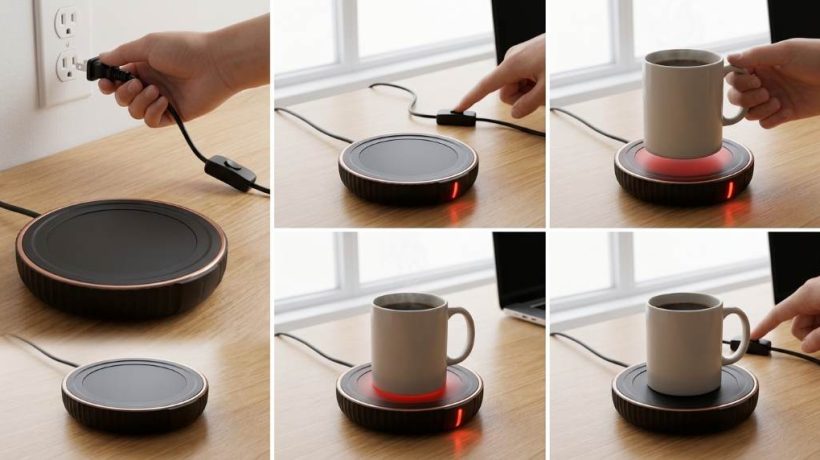
Using the Housegem Coffee Cup Warmer takes only a few simple steps. Place your mug on the heating plate, connect the warmer, select a suitable temperature, and let it maintain your drink. The Housegem Coffee Cup Warmer offers three temperature settings and a timer that can run from 2 to 12 hours. Its 36 watt design provides steady heat for coffee, tea, and similar drinks. However, your mug shape and material can affect warming performance. A flat bottom usually provides better contact with the heating surface.
Key Takeaways
- Place the warmer on a stable, dry, heat resistant surface before connecting power.
- Use a flat bottom ceramic or glass mug for more consistent heat transfer.
- Select the temperature that matches your preferred drinking warmth.
- Keep the mug centered so the heating plate contacts its base properly.
- Use the timer to reduce unnecessary operating time during long work sessions.
- Unplug the warmer before cleaning or moving it for storage.
What the Housegem Warmer Actually Does
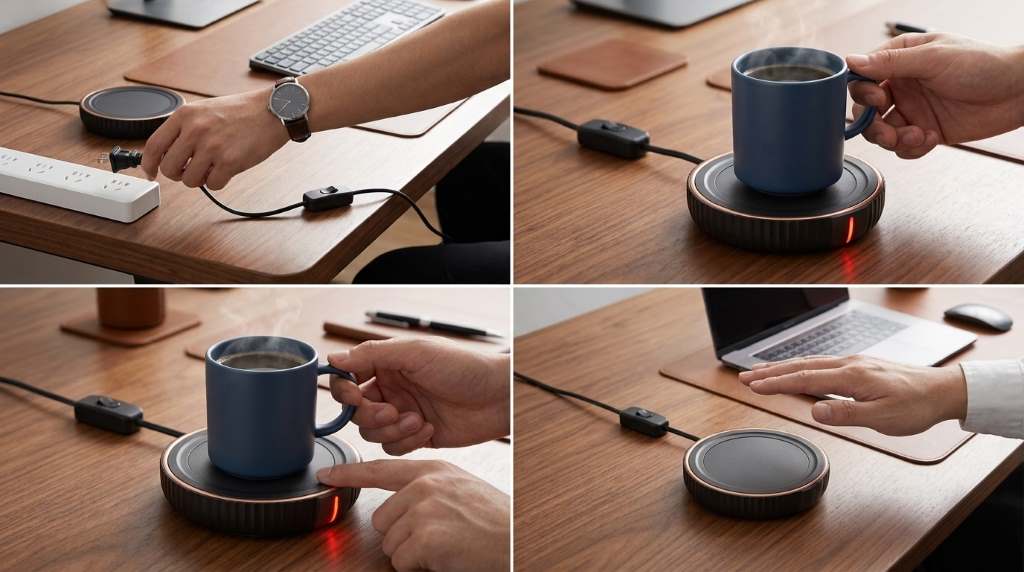
A coffee warmer does not work like an electric kettle. Instead, it slows the cooling process by transferring gentle heat through the mug base.
Therefore, the warmer works best when you start with coffee or tea that already feels hot. It maintains warmth rather than rapidly heating a cold beverage.
Understanding the Heating Plate
The heating plate transfers heat directly into the bottom of your cup. Better contact generally allows the beverage to retain warmth more consistently.
For that reason, flat bottom mugs usually outperform heavily curved or recessed designs. Thick insulated mugs can also reduce the amount of heat reaching your drink.
How to Set Up the Housegem Coffee Cup Warmer
First, place the warmer on a flat, stable, heat resistant surface. Keep the unit away from loose papers, cloth, water, and other items that could create problems around heat.
Next, inspect the heating surface and remove dust or residue. Then connect the power cord according to the instructions supplied with your specific unit.
Choose the Right Location
Your desk or kitchen counter can work well if it provides enough room around the warmer. Keep the appliance away from the edge so an accidental bump cannot move your mug.
Also, keep the cord positioned where your hands, chair, or other objects cannot catch it. A tidy setup makes everyday use easier and safer.
How to Use It Step by Step
Step 1: Prepare Your Drink
Pour your freshly prepared coffee, tea, hot chocolate, or another suitable beverage into your mug. Start with a comfortably hot drink instead of expecting the warmer to heat a cold beverage quickly.
Leave enough room below the rim to reduce the chance of spills. A lid can also help retain warmth by reducing heat loss from the drink surface.
Step 2: Place the Mug Correctly
Set the mug directly in the center of the heating plate. Make sure the bottom sits flat and maintains good contact with the warming surface.
Avoid placing the mug partly over the edge. Centering the cup helps distribute heat more evenly and keeps the setup stable.
Step 3: Turn the Warmer On
Activate the warmer using its control button. Watch the indicator lights or display to confirm that the unit has entered an active heating mode.
Afterward, allow the warmer time to reach its selected operating temperature. The exact warming response depends on the drink volume, mug material, and starting temperature.
Step 4: Select a Temperature
Housegem provides three temperature settings, allowing you to adjust the warmth according to your drink and preference.
For regular coffee, begin with the middle setting and adjust from there. If you prefer a hotter drink, use a higher setting while monitoring the beverage.
Step 5: Set the Timer
The adjustable timer can provide up to 12 hours of operating time. Use a shorter duration when you expect to finish your drink soon.
For longer desk sessions, a longer timer can reduce repeated adjustments. Still, turn the appliance off when you no longer need it.
How to Select the Best Temperature
The right temperature depends more on your drinking habits than on a single universal setting. Coffee often benefits from moderate warmth because excessive heat can make each sip uncomfortable.
Start lower when you drink slowly or use a thin ceramic mug. Conversely, a thicker mug may require a higher setting because its material reduces heat transfer.
| Use Case | Suggested Approach | Why It Helps |
|---|---|---|
| Morning coffee | Medium setting | Maintains comfortable drinking warmth |
| Tea during work | Low or medium setting | Reduces excessive heating during slow sipping |
| Long desk sessions | Medium setting with timer | Maintains warmth without constant adjustment |
| Cold beverage | Warm it separately first | The warmer mainly maintains existing heat |
Which Mugs Work Best?
Flat bottom ceramic mugs usually provide the most practical combination of stability and heat transfer. Glass mugs can also work well when their base sits evenly against the plate.
However, thick double wall mugs may limit warming because their construction separates the beverage from the heat source. Similarly, deeply recessed mug bases may create uneven contact.
Mugs to Avoid
- Plastic containers that can react poorly to sustained heat.
- Paper cups that lack a stable, heat resistant base.
- Foam cups that can deform when exposed to heat.
- Very thick insulated mugs that block effective heat transfer.
- Mugs with highly uneven or deeply recessed bottoms.
When testing a new mug, check whether it sits level before leaving it unattended. A stable base improves both warming performance and spill resistance.
How to Keep Coffee Warm Longer
Start with a freshly prepared hot beverage instead of a drink that has already cooled substantially. Then place the mug on the center of the warmer as soon as practical.
Additionally, use a suitable lid when possible. A lid reduces heat escaping from the beverage surface, while the warmer replaces some heat lost through the mug base.
Your mug material also matters. A thinner ceramic or glass base generally transfers heat more readily than a heavily insulated container.
How to Use the Timer More Effectively
The timer becomes especially useful during focused work periods. Set a duration that matches your expected drinking session instead of automatically selecting the longest available period.
For example, a short coffee break may need only a few hours. A longer writing or office session may justify a longer setting, provided you remain attentive to the appliance.
Why the Timer Matters
A timer reduces the chance of leaving a heating appliance active longer than necessary. It also makes the warmer easier to fit into a predictable daily routine.
Even with a timer, avoid treating automatic shutoff as permission to ignore the appliance. Good placement and regular attention remain important.
How to Clean the Housegem Warmer
Always switch off and unplug the warmer before cleaning it. Allow the heating surface to cool completely before touching or wiping it.
Use a soft, slightly damp cloth to remove coffee splashes and surface residue. Avoid soaking the appliance or allowing water to enter electrical components.
For stubborn marks, use a mild cleaner that will not damage the surface. After cleaning, wipe away remaining moisture and let the unit dry before reconnecting power.
Common Mistakes That Reduce Performance
Using the Wrong Mug
A poorly matched mug can make a capable warmer seem ineffective. Thick insulation and uneven bases can prevent sufficient heat from reaching the beverage.
Therefore, test the warmer with a flat bottom mug before judging its performance. The difference can become noticeable during longer drinking sessions.
Starting With Cold Coffee
A mug warmer primarily maintains warmth rather than replacing a microwave or kettle. Starting with very cold coffee can produce disappointing results.
Instead, prepare the drink at your preferred temperature and use the warmer to slow its cooling. This approach matches the appliance’s intended purpose.
Ignoring the Timer
Long operating periods may waste energy when you have already finished your drink. Set the timer around your actual usage rather than leaving the maximum duration active.
Likewise, switch the unit off when you finish early. Simple habits can make the appliance more convenient during daily use.
Safety Practices for Daily Use
Keep the warmer on a stable surface and maintain clear space around it. Never cover the appliance with fabric, paper, or another material while it operates.
Handle the heating surface carefully because it can remain warm after operation stops. Keep children and pets away from the appliance during and immediately after use.
Never immerse the warmer in water. Also, inspect the cord regularly and stop using the appliance if you notice visible damage.
How to Get Better Results During Long Work Sessions
For long writing, studying, or office sessions, prepare your drink before starting work. Place the mug centrally and select a moderate temperature that matches your drinking pace.
Then use the timer to cover your expected session. If your coffee becomes too warm, lower the setting rather than repeatedly removing and replacing the mug.
Moreover, a covered mug can help preserve warmth between sips. This simple combination can reduce the need for reheating throughout the day.
Housegem Warmer Troubleshooting
| Problem | Likely Cause | Practical Fix |
|---|---|---|
| Drink stays cool | Poor mug contact | Use a flat bottom mug |
| Heat feels excessive | High temperature setting | Reduce the temperature |
| Warmer seems inactive | Power or control issue | Check the connection and controls |
| Uneven warming | Uneven mug base | Center a suitable mug on the plate |
| Surface looks dirty | Drink residue | Clean after unplugging and cooling |
When a Housegem Coffee Cup Warmer Makes Sense
This warmer can suit people who regularly leave coffee or tea untouched while working. It can also help anyone who dislikes repeatedly reheating a drink throughout the morning.
However, it cannot replace fast heating equipment when you need to heat a cold beverage quickly. Its main value comes from maintaining warmth during gradual drinking.
Frequently Asked Questions
How do I turn on the Housegem Coffee Cup Warmer?
Connect the warmer to power, activate its control, and place your mug centrally on the heating plate.
What mug works best with the Housegem warmer?
A flat bottom ceramic or glass mug generally provides effective contact with the heating surface.
Can the Housegem warmer heat cold coffee?
It can provide warming, but it works best when you begin with a hot beverage and maintain its temperature.
How long can the Housegem warmer run?
Its adjustable timer can provide operating periods from 2 to 12 hours depending on the selected setting.
How should I clean the Housegem warmer?
Unplug and cool the unit, then wipe its surface with a soft damp cloth without immersing the appliance.
Final Thoughts
Using the Housegem Coffee Cup Warmer becomes simple once you match the mug, temperature, and timer to your routine. Start with a hot drink, center a suitable mug, select moderate heat, and let the warmer maintain the temperature.
For better results, keep the heating surface clean and avoid mugs that block heat transfer. Try the recommended setup during your next coffee break, then adjust the temperature based on how quickly you drink.
How to Organize With Homehacks Laundry Hampers
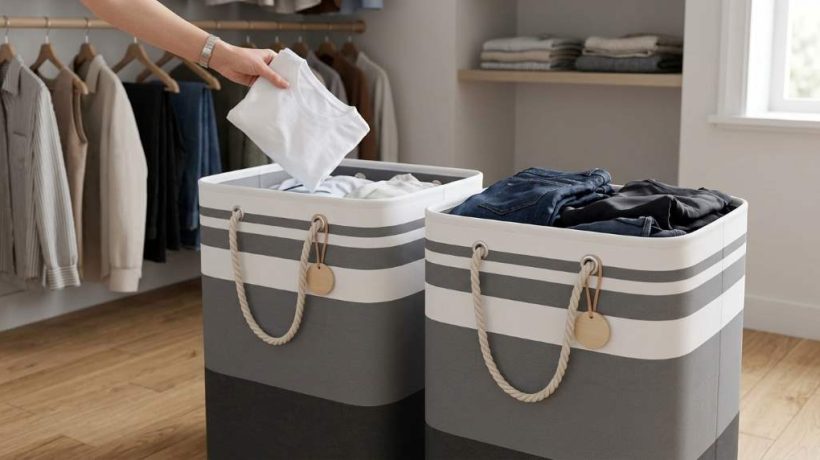
Organizing with Homehacks Laundry Hampers starts with assigning every basket a clear job. Use separate hampers for sorting, place them near where clothes accumulate, and keep clean laundry moving toward its final destination. The average American family washes about 300 loads yearly, so a simple system can prevent constant laundry clutter. A practical setup also saves sorting time and keeps floors, bedrooms, and laundry areas easier to manage. Homehacks Laundry Hampers can support flexible setups because their laundry baskets come in multiple capacities and configurations.
Key Takeaways:
- Assign each hamper one specific laundry category.
- Place hampers where people naturally remove clothing.
- Use multiple hampers to sort clothes before washing.
- Choose tall or rolling designs for tight laundry spaces.
- Keep clean laundry separate from dirty laundry.
- Reset each hamper before it becomes difficult to manage.
Build a Laundry System Around Movement
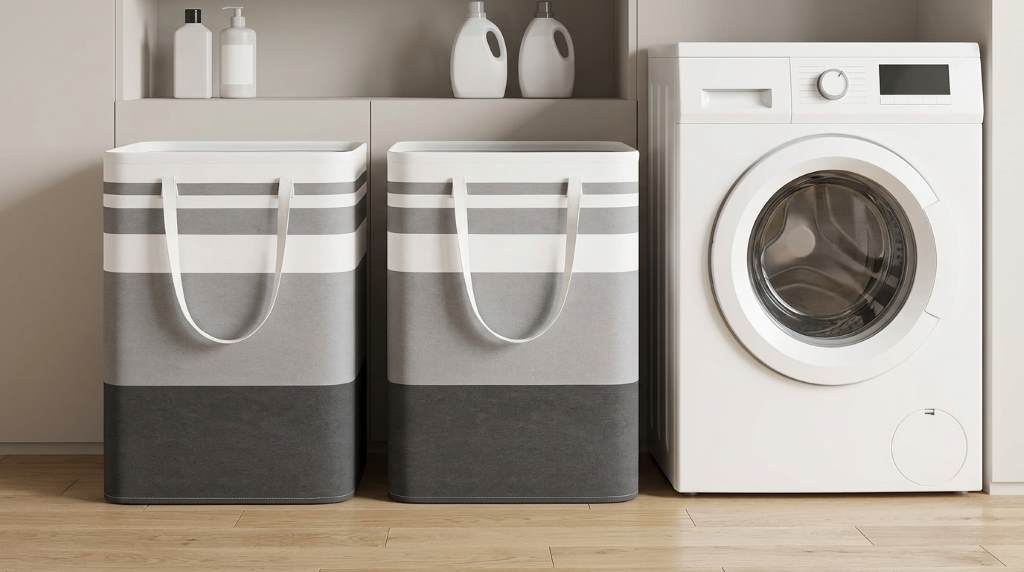
A hamper works best when it supports your laundry routine rather than simply holding clothes. First, map the movement from worn clothing to sorting, washing, drying, folding, and storage. Then place each hamper where that movement feels natural.
Many laundry organization guides focus heavily on attractive storage. However, the bigger issue usually involves unnecessary movement between bedrooms, bathrooms, laundry areas, and closets. A well placed hamper reduces those extra trips and makes the entire routine easier.
Start With the Collection Point
Notice where household members actually remove their clothes each day. Bedrooms, bathrooms, closets, and dressing areas usually need the easiest access to hampers.
Therefore, avoid placing every hamper beside the washing machine. Instead, collect clothing where it naturally accumulates, then move sorted loads toward the laundry area.
Create a Simple Laundry Flow
Use this sequence as your basic system:
- Collect worn clothing in designated hampers.
- Separate laundry according to your household needs.
- Move each category toward the washer.
- Wash and dry each load without mixing unfinished tasks.
- Place clean clothing into dedicated baskets.
- Return clothing to bedrooms, closets, and drawers.
This approach prevents the common mistake of treating the laundry room as permanent clothing storage. Instead, every hamper becomes part of a defined process.
Choose Hamper Categories That Match Your Household
You do not need a hamper for every possible fabric type. Too many categories create unnecessary sorting and can make your system harder to follow.
Instead, choose categories that match your washing habits. A small household may need only two categories, while a larger family may benefit from three or four.
| Hamper Category | Best Use |
|---|---|
| Lights | White and light colored everyday clothing |
| Darks | Dark shirts, pants, and casual clothing |
| Towels | Bath towels, hand towels, and washcloths |
| Special Care | Delicates, stain treated pieces, or clothing needing attention |
However, adjust these categories when your washing habits differ. For example, separating towels may matter more than separating lights and darks in some households.
Use Labels When Several People Share Hampers
Labels remove uncertainty when several people use the same laundry space. Mark each basket clearly with its purpose and keep the wording short.
For example, use labels such as “Darks,” “Lights,” “Towels,” and “Special Care.” Consequently, family members can sort clothes correctly without asking where every item belongs.
Use Multiple Hampers Without Creating Clutter
Multiple hampers can improve sorting, but they can also consume valuable floor space. The solution involves matching hamper size with both laundry volume and available room.
Homehacks baskets include tall, collapsible, and rolling configurations that suit different spaces. Current product listings also show 75L, 88L, 90L, and 125L options, giving households several capacity choices.
Match Hamper Size to Washing Frequency
A large household that washes frequently may need larger collection baskets. Meanwhile, smaller households can use compact hampers and wash more frequently.
Do not automatically buy the largest hamper available. An oversized basket can encourage laundry buildup and occupy floor space that your routine does not need.
Use Tall Hampers in Narrow Spaces
Vertical storage can work particularly well beside closets, bathroom walls, and narrow laundry areas. Tall hampers use height while keeping their footprint relatively small.
Before placing one, measure the available width and depth. Also check door swings, cabinet openings, walkways, and appliance access.
Make Rolling Hampers Part of Your Workflow
Rolling hampers can reduce carrying effort when laundry travels between bedrooms and machines. They work especially well when the laundry room sits farther from sleeping areas.
For example, roll one hamper toward the washer after sorting. Then return it to its assigned collection point after the load finishes.
However, keep wheels away from narrow pathways when possible. A hamper should improve movement rather than become another obstacle.
Use Handles for Smaller Transfers
Handles help when you need to carry clothing between floors or rooms. Therefore, avoid filling baskets beyond a comfortable lifting weight.
Even a large hamper becomes easier to manage when you divide heavy loads before transportation. This habit also reduces the temptation to postpone laundry.
Organize a Small Laundry Room With Less Floor Storage
Small laundry rooms require careful control over floor space. Instead of adding more containers, move some storage upward or consolidate categories.
Use shelving for detergent and laundry accessories while keeping hampers beneath counters where possible. Likewise, use collapsible baskets when you need temporary storage rather than permanent capacity.
Try a Vertical Hamper Arrangement
Place tall hampers against unused wall sections that do not interfere with doors or appliances. This arrangement keeps the center of the room open for sorting and folding.
If several baskets occupy the floor, consider whether every category remains useful. Removing one unnecessary category can sometimes improve the entire layout.
Keep Folding Space Clear
A folding surface should remain a work area, not become permanent storage. Therefore, keep detergents, spare products, and random household items elsewhere.
After folding, move clean clothes directly into their destination baskets or rooms. This simple rule prevents the familiar clean laundry pile from returning.
Separate Dirty Laundry From Clean Laundry
One overlooked organization problem occurs when clean and dirty clothing share the same baskets. The system becomes confusing, especially when several loads remain unfinished.
Use collection hampers only for dirty clothing. Then use separate clean laundry baskets when clothes leave the dryer or folding area.
This separation creates a clear visual signal. When a dirty hamper fills, you know it needs washing, while a clean basket signals that clothes need folding or returning.
Create a Temporary Clean Laundry Zone
Clean clothing sometimes needs a short holding period between drying and putting away. Give those clothes one clearly defined basket instead of using random surfaces.
Set a simple rule that clean laundry leaves the basket within the same day when practical. That prevents temporary storage from becoming permanent clutter.
Make Sorting Easier for Families
Family laundry becomes easier when everyone participates before wash day. Children and adults can place clothing directly into the correct hamper after changing.
Keep categories simple enough for everyone to understand. If sorting requires complicated decisions, people will likely create piles elsewhere.
Give Each Person a Clear Responsibility
One person can handle washing while other household members manage collection and putting clothes away. This division spreads the workload without complicating the system.
For example, assign each person responsibility for returning their clean clothes. Consequently, the laundry room stays focused on processing rather than long term storage.
Use Hampers for More Than Clothing
Large laundry baskets can support organization beyond everyday clothing. However, assign these secondary uses carefully so they never interfere with laundry flow.
- Store spare bedding before washing.
- Hold clean towels awaiting bathroom placement.
- Collect washable household linens.
- Transport folded clothing between floors.
- Store temporary seasonal textiles during room changes.
Keep these uses separate from dirty clothing whenever possible. Otherwise, a multipurpose basket can blur the difference between clean and unwashed items.
Keep Laundry Supplies Away From Hamper Overflow
Hamper organization works poorly when detergent bottles and cleaning products crowd the same area. Separate collection, washing, drying, and supply storage into simple zones.
Keep frequently used products close to the washer while storing backup supplies elsewhere. As a result, your active workspace remains easier to clean and use.
Protect the Main Work Area
Leave enough space around hampers to open appliances and move baskets safely. Also avoid blocking ventilation areas or access points around laundry equipment.
When a hamper repeatedly blocks your path, relocate it rather than adapting your routine around the obstruction. Good organization should reduce friction rather than create it.
Create a Weekly Hamper Reset
A strong organization system needs maintenance. Fortunately, a short weekly reset can prevent small problems from becoming large piles.
- Empty full hampers into appropriate loads.
- Remove clothing that needs special treatment.
- Return clean baskets to their normal locations.
- Check for forgotten towels and bedding.
- Wipe washable hamper surfaces when needed.
- Collapse unused baskets to reclaim space.
Also inspect handles, frames, wheels, and liners periodically. Address damage early so the hamper remains safe and practical for regular use.
Common Hamper Organization Mistakes
The most common mistake involves buying storage before defining the laundry process. A larger basket cannot fix a system that lacks clear categories or destinations.
Another mistake involves creating too many sorting groups. Start with the categories you actually use, then add another only when your routine proves it necessary.
Finally, avoid letting hampers become permanent storage. Dirty clothes should move toward washing, while clean clothes should move toward folding and putting away.
A Practical Homehacks Hamper Setup
A useful setup does not need complicated furniture or a large laundry room. Start with two collection hampers, then add another only when your household needs better separation.
Place collection hampers near bedrooms or bathrooms where people naturally change clothes. Keep a separate clean basket near the dryer or folding surface.
For larger households, add a dedicated towel hamper or special care basket. If space becomes tight, replace several wide baskets with taller or rolling options.
| Household Need | Practical Setup |
|---|---|
| Small household | One collection hamper plus one clean basket |
| Two person household | Separate lights and darks with one clean basket |
| Family household | Lights, darks, towels, and clean laundry zones |
| Small laundry room | Tall collapsible hampers with vertical storage |
| Large laundry room | Multiple sorting hampers with a rolling option |
Frequently Asked Questions
How many laundry hampers should a household have?
Most households need two to four hampers depending on laundry volume, sorting habits, and available space.
Should laundry hampers stay in bedrooms?
Yes, bedroom hampers can prevent clothing from accumulating on floors and make collection more convenient.
Are tall laundry hampers good for small spaces?
Yes, tall hampers can use vertical space while keeping their floor footprint relatively narrow.
Should clean and dirty laundry use separate baskets?
Yes, separate baskets make laundry status obvious and reduce confusion during busy wash days.
How can I stop hampers from overflowing?
Set a regular washing schedule and start loads before each hamper reaches its maximum practical capacity.
Final Thoughts
Organizing with Homehacks Laundry Hampers works best when every basket has one clear purpose. Start with collection points, create practical sorting categories, and keep clean laundry separate from dirty clothes.
Then adjust the setup around your household instead of forcing everyone into a complicated system. Start today by assigning each hamper a job, labeling the categories, and creating one simple route from clothing to closet.
How to Replace Frigidaire WF3CB Refrigerator Filter?
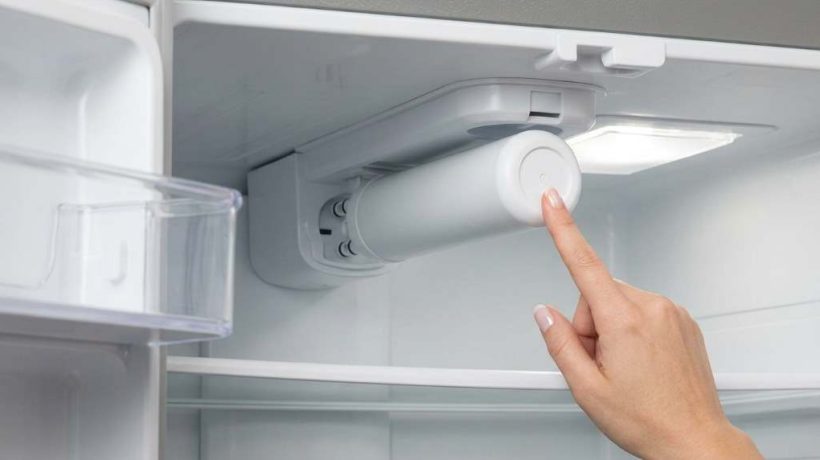
To replace a Frigidaire WF3CB filter, press the old cartridge inward, release it, and pull it straight out. Then align the new cartridge, push firmly until it clicks, flush the dispenser, and reset the filter indicator.
The Frigidaire WF3CB Refrigerator Filter uses a carbon block to filter refrigerator drinking water. Its rated service capacity reaches 200 gallons, while its rated service flow reaches 0.5 gallons per minute. However, correct installation matters because poor seating can reduce water flow or cause leakage. This guide explains replacement, flushing, resetting, and common troubleshooting steps.
Key Takeaways
- Confirm WF3CB compatibility with your refrigerator model before opening the replacement cartridge.
- Push the old filter inward first, then release and pull it straight outward.
- Remove every protective cap from the new cartridge before installation.
- Align the new filter carefully and push until the locking mechanism clicks.
- Flush the system thoroughly after installation to remove trapped air and carbon particles.
- Check the filter housing for leaks before returning the refrigerator to normal use.
- Reset the water filter indicator after completing installation and flushing.
Understand the WF3CB Filter Before Starting
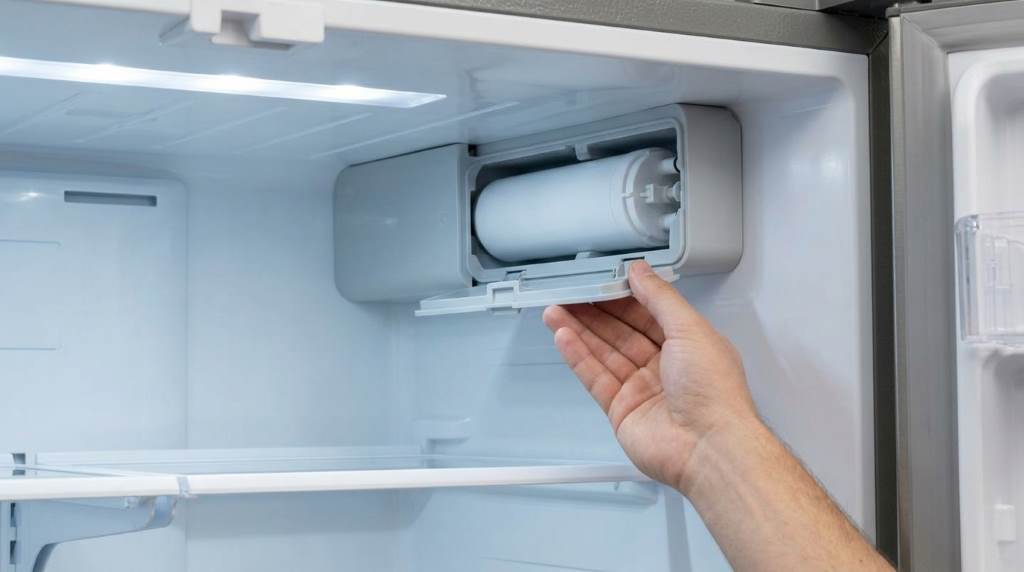
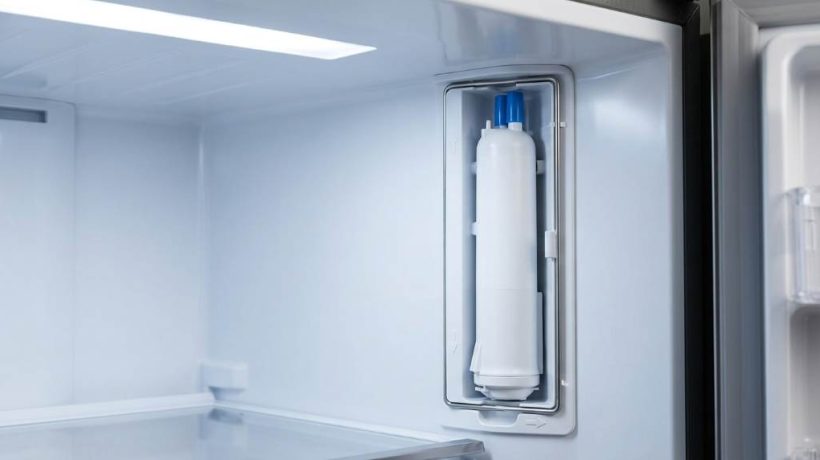
The WF3CB belongs to Frigidaire’s PureSource 3 water filtration system. You will commonly find its housing inside compatible side by side refrigerators.
The housing usually sits near the upper right rear section of the fresh food compartment. However, refrigerator designs vary, so verify your specific model before starting.
Confirm That WF3CB Fits Your Refrigerator
Never assume two similar looking cartridges use the same connection. Small differences around the connector can prevent proper installation or sealing.
First, inspect the existing cartridge for its part number. Also compare your refrigerator model against the compatibility information supplied with the replacement filter.
You can usually find the refrigerator model number inside the fresh food compartment. Check the upper interior walls when the refrigerator door remains open.
Know When Replacement Becomes Necessary
Frigidaire generally recommends replacing refrigerator water filters every six months. However, actual performance can decline sooner under demanding household conditions.
Reduced dispenser flow often provides an early warning of a restricted filter. Changes in water taste can also suggest replacement deserves attention.
Likewise, replace the cartridge when your refrigerator displays its filter replacement warning. Heavy water consumption may justify earlier replacement within the rated capacity.
What You Need for the Replacement
This job normally requires no specialized tools. Therefore, most homeowners can complete the replacement without disassembling refrigerator components.
Prepare everything beforehand so you can inspect the housing immediately. A towel also helps catch the small amount of water released during removal.
- A compatible WF3CB replacement filter
- A clean towel or absorbent cloth
- A large drinking glass or container
- Your refrigerator manual when model specific instructions differ
Keep the replacement cartridge sealed until you confirm compatibility. This precaution makes correcting an ordering mistake much easier.
How to Remove the Existing WF3CB Filter
Start by opening the refrigerator and locating the water filter housing. Move nearby food containers if they restrict comfortable access.
Next, turn the ice maker off before removing the cartridge. This step prevents the ice system from requesting water during replacement.
Release the Old Cartridge
Place a towel underneath the filter housing before releasing anything. A small amount of residual water may escape from the connection.
Press the exposed end of the old filter firmly inward. The locking mechanism should release and move the cartridge slightly toward you.
Then pull the cartridge straight outward without twisting or bending it. Excessive sideways pressure could stress the filter housing or internal connector.
What If the Old Filter Will Not Release?
A stubborn filter often needs another firm inward push before its latch releases. Therefore, press evenly against the cartridge face and release again.
Avoid aggressively twisting the filter or prying against its housing. Instead, confirm the cartridge moves along its intended straight removal path.
Stop if the cartridge appears broken or remains firmly jammed. Forcing damaged components can turn a simple filter change into a housing repair.
Install the New WF3CB Cartridge Correctly
Unpack the replacement only after removing the old cartridge successfully. Inspect the new filter for shipping damage, cracks, or damaged connection points.
Next, remove the protective caps covering its inlet and outlet connections. Leaving these caps installed prevents the cartridge from connecting correctly.
Align the Cartridge With the Housing
Use the cartridge guides and housing slots to establish the correct orientation. Then slide the filter straight inward without forcing its connection.
Continue until the cartridge reaches the connector at the rear. Finally, press firmly until you hear or feel the filter click.
The installed cartridge should feel secure rather than loose. Never accept a partially seated filter simply because it remains inside the housing.
Check the Installation Before Dispensing Water
Look closely around the filter connection after installation. The cartridge should sit straight and securely inside its housing.
If it looks crooked, remove it and repeat the alignment process. Correct seating protects water flow and helps prevent leaks.
Flush the New Filter Before Drinking the Water
Installing the cartridge completes only part of the job. You must also purge trapped air and loose carbon particles from the filtration system.
Place a large container beneath the dispenser and begin dispensing water. Initial sputtering can occur while trapped air leaves the water lines.
How Long Should You Flush a WF3CB Filter?
Run water through the newly installed filter for several minutes. Frigidaire installation guidance commonly calls for approximately four minutes of flushing.
You may notice temporary cloudiness or irregular flow during this process. However, these effects should improve as trapped air leaves the system.
Continue checking the filter housing while dispensing water. Stop immediately if continuous dripping or a visible leak develops around the cartridge.
Why Flushing Matters
A new carbon filter can contain harmless loose carbon particles from manufacturing and transportation. Flushing carries these particles through the dispenser before normal use.
The process also removes trapped air from the refrigerator’s water pathway. Consequently, dispenser flow should become smoother as purging continues.
Reset the Water Filter Indicator
The refrigerator does not necessarily recognize cartridge replacement automatically. Therefore, reset the filter status after installation and flushing.
Many compatible Frigidaire models use a Water Filter control on the dispenser panel. Press and hold that control for approximately three seconds.
The indicator may change from red to green after a successful reset. However, control sequences can differ between refrigerator models.
Check your model’s control instructions when the standard method does not work. Avoid repeatedly pressing unrelated controls while troubleshooting the indicator.
Test the Refrigerator After Replacement
A successful installation involves more than hearing the cartridge click. Test water flow, inspect for leaks, and confirm normal dispenser operation afterward.
Finally, turn the ice maker back on after completing those checks. Allow the system time to resume its normal ice production cycle.
| Check | Normal Result | Possible Problem |
|---|---|---|
| Filter position | Secure and straight | Incorrect alignment |
| Water flow | Steady after flushing | Trapped air or restricted flow |
| Filter housing | Dry around connection | Improper seating or damaged cartridge |
| Indicator | Reset status displayed | Incorrect reset procedure |
| Ice maker | Normal operation resumes | Water supply or filter problem |
Fix Common Problems After Installing the Filter
Most replacements work immediately after flushing. Still, several small installation issues can cause low flow, leakage, noise, or dispenser problems.
Troubleshoot the installation systematically rather than immediately replacing refrigerator components. Often, reseating the cartridge solves the problem quickly.
Water Does Not Dispense
First, confirm the filter sits completely inside its housing. Remove and reinstall it when you suspect incomplete engagement.
Next, verify the refrigerator receives water from the household supply. Also check whether the dispenser control became locked accidentally.
Finally, confirm you removed every protective cap before installation. A forgotten cap can prevent the water system from operating correctly.
Water Flow Seems Weak
Weak flow immediately after replacement can result from trapped air. Continue purging the system and watch whether flow becomes steadier.
If poor flow continues, inspect the filter position again. A cartridge that has not fully engaged may restrict normal water movement.
Also inspect the refrigerator’s water supply line for visible kinks. Restricted household supply pressure can produce similar dispenser symptoms.
The New Filter Leaks
Stop dispensing water if moisture continually appears around the filter housing. Remove the cartridge and inspect its body and connection points.
Then reinstall the filter carefully while keeping it straight. Listen for the locking click and confirm the cartridge remains firmly seated.
Replace a cracked or visibly damaged cartridge instead of reinstalling it. Persistent housing leaks may require professional appliance service.
The Filter Will Not Click Into Place
Never force a cartridge that refuses to engage. First, confirm its part number and compare its connector with the removed filter.
Then inspect the housing for packaging pieces, broken filter fragments, or other obstructions. Remove only loose material you can safely reach.
Try inserting the cartridge again with its guides correctly aligned. Stop when excessive force becomes necessary because the fit may be wrong.
The Filter Light Remains On
The indicator functions as a maintenance reminder rather than an installation detector on many refrigerators. Consequently, replacement alone may not clear it.
Hold the appropriate Water Filter control according to your refrigerator instructions. Confirm the display changes before considering the reset complete.
Mistakes That Make Filter Replacement Harder
The WF3CB replacement process looks simple, yet small mistakes often create unnecessary troubleshooting. Avoiding them protects the housing and saves considerable time.
- Buying a filter before confirming the refrigerator model and required cartridge.
- Twisting the old filter instead of using its push release mechanism.
- Forgetting to remove protective caps from the new filter connections.
- Installing the cartridge at an angle instead of following the housing guides.
- Stopping before the new cartridge clicks securely into its connector.
- Drinking immediately without flushing the new carbon filter first.
- Forgetting to reset the refrigerator’s filter status indicator afterward.
Another mistake involves forcing a filter when something feels wrong. Instead, remove it and inspect both the cartridge and housing before continuing.
How to Keep the Water System Working Well
Record the installation date immediately after replacing the filter. A phone reminder can help you track the next expected replacement interval.
However, do not rely solely on the calendar. Changes in flow, taste, or refrigerator alerts can indicate earlier replacement needs.
Watch Water Flow Between Replacements
A gradual flow reduction can indicate increasing restriction inside the cartridge. Therefore, compare dispenser performance with its behavior after a fresh installation.
Sudden flow loss deserves broader troubleshooting because the filter may not cause it. Check the supply line, dispenser lock, and cartridge position too.
Use the Correct Cartridge Every Time
Part numbers matter because refrigerator filtration systems use specific connectors and performance designs. Similar dimensions do not automatically establish correct compatibility.
Keep the previous filter’s part number available when ordering replacements. Also verify compatibility whenever you switch brands or cartridge types.
When Professional Service Makes Sense
A routine filter replacement should not require refrigerator disassembly. Therefore, persistent leaks or damaged housing components deserve closer professional inspection.
Service may also help when multiple compatible filters refuse to lock. In that situation, the receiver or internal housing mechanism may have failed.
Likewise, investigate persistent dispenser failure after confirming proper installation and water supply. The problem may involve another refrigerator water system component.
Frequently Asked Questions
How Often Should I Replace a Frigidaire WF3CB Filter?
Replace the WF3CB about every six months, or sooner when water flow noticeably declines.
Do I Need to Turn Off the Refrigerator Water Supply?
No, normal WF3CB cartridge replacement generally does not require shutting off the household water supply.
Why Does Water Sputter After Installing a New Filter?
Trapped air causes temporary sputtering, which normally disappears as you flush the new filter.
How Do I Know the WF3CB Filter Is Installed Correctly?
The cartridge should click securely into place, remain straight, and show no continuous leakage.
Why Is My Filter Light Still Red After Replacement?
You usually need to reset the filter indicator manually using your refrigerator’s designated control.
Final Thoughts
Replacing a WF3CB filter requires careful alignment, secure seating, thorough flushing, and an indicator reset. These simple steps help maintain reliable dispenser and ice maker performance.
Before starting, confirm cartridge compatibility and inspect the replacement for damage. Then follow each step carefully rather than forcing the filter into position.
After installation, test water flow and inspect the housing for leaks. Set your next replacement reminder once everything operates normally.
How to Replace Everydrop EDR3RXD1 Filter
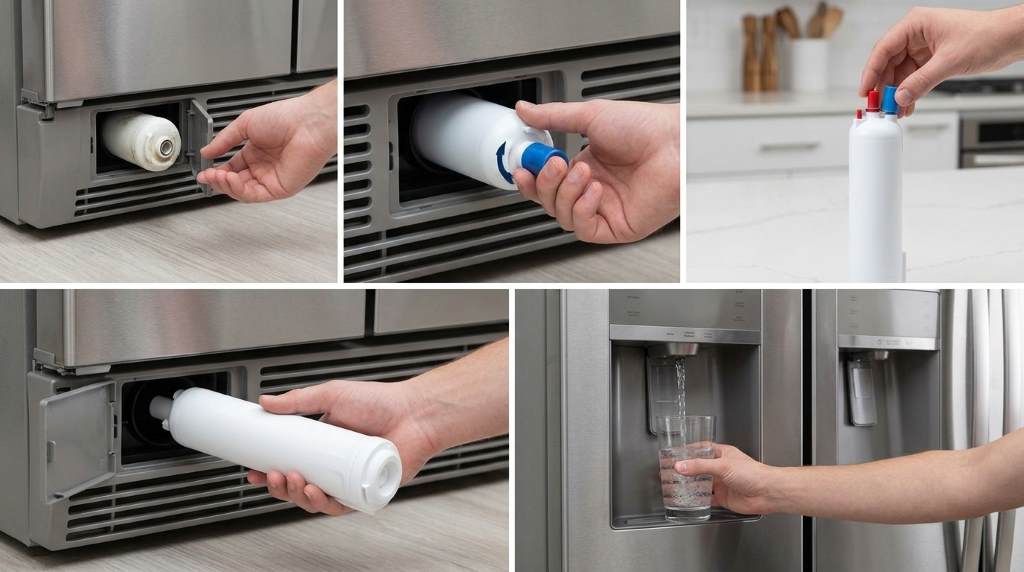
Replacing the Everydrop EDR3RXD1 Filter takes only a few minutes when installed correctly. Whirlpool recommends replacing refrigerator filters every six months, while the replacement itself can take under five minutes.
However, a proper replacement involves more than removing the old cartridge. You also need correct cap placement, filter orientation, water flushing, and indicator resetting.
Key Takeaways
- Confirm that EDR3RXD1 matches your refrigerator before installation.
- Locate the filter housing inside the refrigerator base grille.
- Press the eject button before pulling out the old cartridge.
- Transfer the bottom cap carefully onto the replacement filter.
- Align the replacement cartridge correctly before pushing it inside.
- Flush the water system thoroughly before drinking the water.
- Reset the filter indicator after confirming proper water flow.
Before You Start the Replacement
First, confirm that your refrigerator uses Everydrop Filter 3, identified by EDR3RXD1. You can find the filter number printed on the existing cartridge or listed inside your manual.
Compatibility matters because refrigerator filters can look remarkably similar. Therefore, never force a cartridge simply because its shape appears close enough.
Everydrop Filter 3 commonly serves compatible Whirlpool, Maytag, KitchenAid, Amana, and JennAir refrigerators. Still, your refrigerator model remains the final compatibility check.
What You Need
You do not need special tools for this replacement. Prepare the new filter, a clean towel, and a container for flushing water.
- One compatible EDR3RXD1 replacement filter
- Clean towel for accidental water drops
- Large container for flushing the dispenser
- Refrigerator manual if your controls differ
Keep the new filter nearby before removing the old cartridge. This approach reduces the time your refrigerator remains without its normal filter.
Locate the Existing Filter
For Filter 3 systems, the filter housing sits on the left side of the refrigerator base grille. Look near the lower front section of the appliance.
Once you locate the housing, identify the eject button beside the cartridge. The button releases the existing filter without requiring tools or excessive force.
Check the Filter Housing First
Before pressing anything, inspect the housing for visible damage or unusual moisture. A damaged housing can cause leaks even when you install the cartridge correctly.
Also check the area around the filter for dirt or residue. Wipe the surrounding surface with a clean, damp cloth when necessary.
Remove the Old EDR3RXD1 Filter
Press the eject button firmly to release the old filter from its locked position. Then pull the cartridge straight outward from the housing.
Do not twist the cartridge aggressively while removing it. Excessive force can damage the housing or make the cartridge harder to remove.
Keep a towel underneath the filter area during removal. A small amount of water can escape from the connection point.
Inspect the Removed Cartridge
Look at the old cartridge after removal, especially if water flow became slow. Heavy discoloration or sediment can indicate that replacement was overdue.
However, appearance alone cannot determine filter performance. Follow the recommended replacement interval rather than waiting for visible buildup.
Prepare the New Filter
Remove the replacement filter from its packaging carefully. Then remove the protective plastic covering from the filter tip.
Do not remove sealing components that belong to the cartridge itself. Check the filter carefully before installation to ensure nothing remains incorrectly attached.
Filter 3 installation also requires the cap from the old cartridge. Therefore, keep the old filter nearby until you transfer that cap.
Transfer the Filter Cap
Take the bottom cap from the old cartridge and examine its ridges. Align those ridges with the matching grooves on the new filter.
Place the cap onto the new cartridge and turn it clockwise until it locks securely. Avoid forcing the cap when the ridges do not align.
A poorly positioned cap can prevent proper installation. It can also make the cartridge appear secure when the filter remains incorrectly seated.
Install the New Filter Correctly
Hold the prepared EDR3RXD1 cartridge with its orientation arrow pointing toward the correct direction. For Filter 3, the arrow should point to the left during insertion.
Next, slide the cartridge into the filter opening. Push it inward until the eject button pops back into its normal position.
That click provides an important installation signal. Still, gently tug the cartridge afterward to confirm that it remains securely seated.
Never Force the Cartridge
A filter should enter the housing smoothly when the cap and orientation match correctly. If resistance appears immediately, stop and check the alignment.
Remove the cartridge and inspect the cap position again. Also check whether packaging material remains around the connection area.
Forcing the filter can damage the housing or create an imperfect seal. Consequently, careful alignment saves time and prevents avoidable leaks.
Flush the Water System
Flushing the new cartridge removes trapped air and helps clear initial carbon particles. This step also helps stabilize water flow after installation.
Place a large container beneath the dispenser before starting. Then dispense water in repeated short cycles rather than holding the dispenser continuously.
Everydrop recommends pressing the dispenser for about five seconds, then releasing it. Repeat that cycle until water flows normally, then continue flushing for about two minutes.
Whirlpool also provides guidance calling for four gallons through the line for refrigerator filter flushing. Follow your refrigerator instructions when they specify a particular flushing amount.
Why Flushing Matters
New carbon based filters can release harmless initial particles during first use. Flushing removes those particles before normal drinking and ice production resumes.
Flushing also helps remove air trapped inside the filter. That trapped air can cause sputtering, temporary dripping, or uneven dispenser flow.
If water initially looks cloudy, continue flushing the system. Clear water and stable flow should return as the air leaves the line.
Reset the Filter Indicator
After installing and flushing the cartridge, reset your refrigerator’s filter indicator. The exact button combination varies between refrigerator models.
Many Whirlpool refrigerators use a dedicated filter reset control. Some models instead require holding a refrigerator control button for about three seconds.
Check your refrigerator controls if the indicator does not reset immediately. A successful reset normally turns off the replacement warning.
Remember What the Reset Does
Resetting the indicator does not clean or restore the filter. It simply tells the refrigerator that you installed a fresh cartridge.
Therefore, never reset the indicator without replacing the filter. Otherwise, the refrigerator can display a fresh status while the old cartridge remains installed.
Check for Leaks and Flow Problems
After installation, inspect the filter area carefully for several minutes. Look for dripping water around the cartridge, cap, and housing connection.
Then test the dispenser for steady water flow. A weak stream can indicate an incorrectly installed or clogged filter.
Small ice cubes or reduced ice production can also indicate restricted water flow. Check the cartridge position before investigating other refrigerator components.
What to Check After Installation
| Check | What You Want | Possible Problem |
|---|---|---|
| Filter position | Cartridge sits securely | Incorrect alignment |
| Eject button | Button returns outward | Filter not fully seated |
| Water flow | Steady dispenser stream | Air or restricted flow |
| Filter housing | No visible dripping | Loose cap or seal |
| Indicator | Fresh filter status | Reset procedure needed |
Common EDR3RXD1 Replacement Mistakes
Many installation problems come from rushing the small steps. Fortunately, most issues have simple causes and straightforward solutions.
Installing Without Checking Compatibility
Buying a filter based only on appearance creates unnecessary installation problems. Always match EDR3RXD1 against your refrigerator model or existing filter number.
Also remember that similar Everydrop cartridges use different numbers. Filter 3 and Filter 4, for example, are not interchangeable simply because both fit certain refrigerators.
Forgetting the Old Cap
Filter 3 requires the bottom cap from the old cartridge during this replacement process. Keep the old filter until the cap transfers successfully.
If the cap does not align, do not force it. Recheck the ridges and grooves before continuing.
Skipping the Flush
Some users install the cartridge and immediately drink the first glass. That shortcut can leave trapped air and initial filter particles inside the water line.
Instead, flush the system thoroughly before normal drinking. This small step improves the transition to the new cartridge.
Ignoring a Slow Water Stream
A slow stream after replacement deserves attention. First, confirm that the filter sits fully inside the housing.
Next, flush additional water through the dispenser. If flow remains weak, consult your refrigerator troubleshooting instructions for possible supply issues.
When Should You Replace the Filter Again?
Everydrop generally recommends replacing the filter every six months. However, actual replacement timing can depend on water quality and household usage.
Replace the cartridge sooner when the refrigerator indicates replacement. You should also investigate earlier replacement when water flow noticeably decreases.
Heavy dispenser use can increase the amount of water passing through the cartridge. Therefore, the six month interval should serve as a practical baseline rather than permission to ignore warning signs.
Useful Replacement Reminders
- Record the installation date inside your maintenance notes.
- Set a calendar reminder for the next replacement.
- Watch for changes in taste, odor, or water flow.
- Check the filter indicator regularly.
- Keep one compatible replacement available before the next interval.
How to Keep the Replacement Process Simple
A repeatable routine makes future filter changes faster and safer. Start by confirming the filter number before ordering or opening the package.
Next, prepare the towel and flushing container before removing the old cartridge. This preparation prevents unnecessary interruptions during installation.
Finally, complete the entire process in sequence: remove, prepare, install, flush, reset, and inspect. Following the same order reduces missed steps and makes troubleshooting easier.
What If the New Filter Will Not Lock?
First, remove the cartridge and inspect the bottom cap. An incorrectly positioned cap can prevent the filter from reaching its locking position.
Next, verify the filter orientation and alignment with the housing. Then reinstall it gently until the eject mechanism returns to position.
If the cartridge still will not lock, stop applying force. Check the refrigerator manual for model specific installation requirements.
What If Water Tastes Different After Replacement?
A temporary taste difference can occur after installing a new carbon based filter. Continue flushing the system according to the recommended procedure.
If the taste remains unusual after proper flushing, inspect the installation again. Also consider the refrigerator water supply and other possible causes.
Do not assume that resetting the indicator resolves taste problems. The reset changes the refrigerator status display, not the physical filter condition.
A Simple Replacement Checklist
Before considering the job complete, review each step below. This final check takes less than a minute and can prevent recurring problems.
- Confirm EDR3RXD1 compatibility.
- Locate the base grille filter housing.
- Press the eject button.
- Remove and discard the old cartridge.
- Remove protective material from the new filter.
- Transfer and lock the bottom cap.
- Align the filter correctly.
- Push the cartridge fully into the housing.
- Flush the water system thoroughly.
- Reset the filter indicator.
- Check water flow and inspect for leaks.
Final Thoughts
Replacing an EDR3RXD1 filter becomes straightforward when you follow the correct sequence. The most important details involve cap transfer, left facing orientation, secure insertion, flushing, and indicator resetting.
Do not rush the installation simply because the cartridge appears easy to replace. Follow the checklist above, verify proper water flow, and schedule your next replacement before the current filter becomes overdue.
Keep this guide available for your next replacement and use the same inspection routine each time. A few careful minutes can help maintain reliable filtered water and smooth refrigerator operation.
Frequently Asked Questions
How often should I replace the EDR3RXD1 filter?
Replace the EDR3RXD1 about every six months, or sooner when usage and water conditions require it.
Where does the EDR3RXD1 filter go?
The EDR3RXD1 typically installs inside the filter housing located at the refrigerator’s base grille.
Do I need to transfer the old filter cap?
Yes, Filter 3 installation requires transferring the bottom cap from the old cartridge onto the replacement.
How much water should I flush after installation?
Flush according to your refrigerator instructions, with Whirlpool commonly recommending four gallons through the line.
Why is my water flow slow after replacement?
Check filter alignment and seating first, then flush additional water before investigating other supply problems.
How to Use Ember Temperature Control Smart Mug
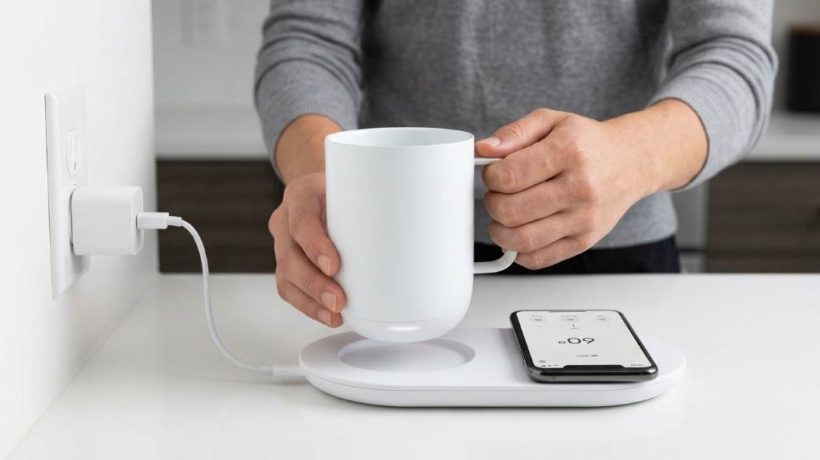
Using an Ember Temperature Control Smart Mug takes only a few steps: charge it, add a hot drink, and set your temperature. The mug supports 120°F to 145°F settings and can maintain your target within about 0.5°F. The Ember Temperature Control Smart Mug works without the app, but the Ember app unlocks temperature adjustments and smart features. This guide explains setup, temperature control, charging, cleaning, battery use, and common fixes.
Key Takeaways
- Charge the mug fully before your first extended use.
- Use the Ember app to set your preferred drinking temperature.
- Pour a hot beverage rather than relying on the mug to heat cold drinks quickly.
- Keep the mug on its charging coaster for extended sessions.
- Hand wash the mug and keep the charging coaster dry.
- Use battery saving habits when drinking away from the coaster.
Start With the Right Ember Mug Setup
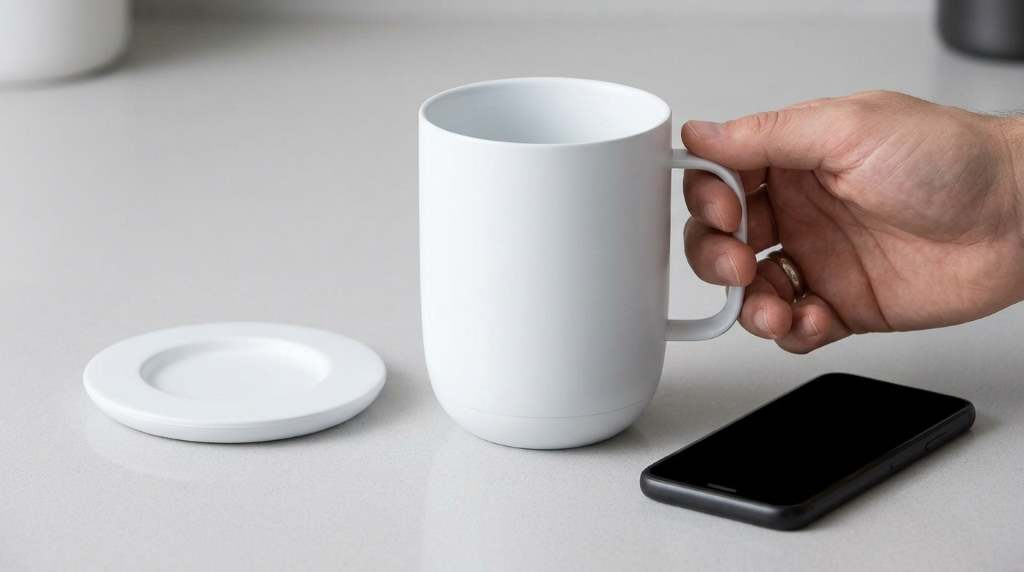
First, place the charging coaster on a stable, dry surface near your regular drinking area. Then connect the coaster to power and position the mug correctly on top.
Next, allow the mug to charge before planning a long coffee session away from its coaster. A properly charged battery gives the heating system more room to maintain your selected temperature.
After charging, add your hot beverage and let the mug detect the liquid. The mug can operate without the app, which makes basic everyday use straightforward.
What the Ember App Adds
The Ember app gives you direct control over your preferred temperature and additional smart functions. However, you do not need the app simply to keep using the mug.
Pairing also makes sense when you want precise temperature changes rather than the default setting. Therefore, install the app if you regularly switch between coffee, tea, or other hot beverages.
How to Set the Drinking Temperature
Open the Ember app and connect your mug through Bluetooth before changing the temperature. Then move the temperature control until you reach the setting that feels comfortable.
The current Ember Mug 2 supports settings from 120°F through 145°F in one degree increments. Ember states that its system maintains the selected temperature within approximately 0.5°F.
Start around 130°F to 135°F if you want a comfortable everyday drinking temperature. Then adjust gradually instead of immediately selecting the highest available setting.
Why Your Starting Temperature Matters
Pouring a hot beverage helps the mug reach your target temperature more efficiently. The mug works best when it maintains heat rather than rapidly heating a cold drink.
For example, freshly brewed coffee can reach your selected setting more efficiently than refrigerated coffee. Therefore, use the Ember primarily as a temperature maintenance system.
When you pour a cooler drink, expect the mug to work harder and take longer. That process can also consume more battery power during untethered use.
Use the Mug Away From the Coaster
Once charged, you can lift the mug from its coaster and continue drinking elsewhere. The battery then powers the heating system while the mug maintains your selected temperature.
Battery performance depends on temperature, beverage conditions, ambient temperature, and whether you use a compatible lid. The current 14 ounce Ember Mug 2 specification lists up to 80 minutes away from the coaster at 135°F.
Therefore, treat the battery as support for shorter sessions rather than unlimited mobile use. For longer work sessions, keep the mug on its charging coaster whenever practical.
Use the Coaster for Extended Sessions
The charging coaster provides the simplest solution for long desk sessions. Place the mug back on the coaster whenever you finish moving around.
Ember states that the 14 ounce model can maintain temperature while sitting on its coaster. The mug also uses automatic sleep behavior to reduce unnecessary energy consumption.
Consequently, a desk based setup can keep your drink ready throughout a long morning. This approach also reduces the need to monitor battery levels constantly.
Understand the LED Before Troubleshooting
The LED indicator provides useful feedback about the mug’s current state. Watch it when charging, heating, pairing, or checking whether the mug remains active.
However, LED behavior can vary between models and operating states. Therefore, check the current Ember app information when a color or pattern seems unfamiliar.
Do not assume that every LED change means a fault. Instead, first check whether the mug has liquid, sufficient charge, and proper coaster contact.
Clean the Ember Mug Correctly
Cleaning requires more care than cleaning an ordinary ceramic mug. Ember recommends hand washing the mug rather than putting it inside a dishwasher.
Although the mug has water resistance for immersion, the charging coaster should never receive the same treatment. Keep electrical contacts and the coaster away from standing water.
A Simple Cleaning Routine
- Empty the mug completely after drinking.
- Rinse the interior with clean water.
- Apply a small amount of mild dish soap.
- Wash gently with a soft sponge.
- Rinse away all soap residue.
- Dry the exterior and bottom thoroughly.
- Return the mug to the coaster only after drying.
Avoid abrasive cleaners and harsh scrubbers because they can damage the mug’s surface. Also, never place the charging coaster under running water.
How to Get Better Battery Performance
Your temperature setting directly affects how much work the heating system performs. Higher temperatures generally require more energy than lower maintenance settings.
Therefore, start with a realistic drinking temperature rather than automatically using the maximum setting. Keeping the mug on its coaster also reduces dependence on battery capacity.
Additionally, avoid repeatedly moving the mug between cold environments and warm rooms. Frequent temperature changes can make the heating system work harder.
Use a Lid When Appropriate
A compatible sliding lid can help retain heat while you move around. Ember currently lists longer untethered operation with a lid on its 14 ounce model.
However, a lid does not replace charging when you need extended use. Think of it as a heat retention aid that can complement battery operation.
Fix Common Ember Mug Problems
The Mug Does Not Heat
First, check whether the mug has enough battery power and whether the coaster connects correctly. Next, confirm that your beverage contains enough heat for normal temperature maintenance.
If the drink starts significantly below your target, the mug may need considerably more time to raise its temperature. Returning the mug to the powered coaster can help during demanding heating situations.
The App Will Not Connect
Start by confirming Bluetooth remains enabled on your smartphone. Then keep the phone close to the mug while reopening the Ember app.
If the connection still fails, restart the app and check whether the mug requires charging. Also, make sure your phone uses a compatible operating system.
The Battery Drains Too Quickly
Check whether you regularly use high temperature settings away from the coaster. Also consider how often you remove the mug during each drinking session.
For long work periods, keep the mug on the charging coaster instead. This setup provides a more predictable experience than repeatedly relying on battery power.
The Mug Stops Working During Cleaning
Allow the mug to dry completely before placing it onto the charging coaster. Moisture around the base can interfere with reliable charging contact.
Also, inspect the coaster for spills before reconnecting power. A clean and dry charging area supports safer everyday operation.
Use Different Drinks With Practical Temperature Habits
Coffee often works well around the middle of Ember’s temperature range. Tea preferences vary more widely, so test your preferred setting gradually.
Hot chocolate, herbal drinks, and similar beverages can also benefit from steady temperature control. Nevertheless, avoid treating every beverage as if one temperature suits everyone.
- Coffee: Start around 130°F to 135°F and adjust according to taste.
- Black tea: Test a moderate setting before moving higher.
- Green tea: Consider a lower setting to protect delicate flavors.
- Hot chocolate: Use a comfortable temperature that prevents excessive heat while sipping.
These starting points serve as practical experiments rather than universal rules. Your preferred drinking temperature should ultimately guide the final setting.
Build an Easier Daily Ember Routine
A simple routine makes the smart features feel less complicated. Charge the mug, prepare your drink, set your temperature, and keep the coaster nearby.
Then clean the mug after use and return it to the coaster once it dries. This routine reduces forgotten charging sessions and helps keep the mug ready.
For office use, place the coaster beside your keyboard or notebook. For home use, position it where you normally prepare your morning drink.
What Competitor Guides Often Miss
Many basic guides explain app pairing and temperature settings but give less attention to everyday battery strategy. A useful guide should explain when to use the coaster, when to use battery power, and why starting with a hot drink matters.
Cleaning also deserves more attention because incorrect washing can shorten the useful life of electronic drinkware. Likewise, troubleshooting should connect symptoms with practical checks instead of simply recommending a reset.
This approach makes the instructions more useful because it answers the questions users face after initial setup. It also helps new owners avoid common mistakes before those mistakes become habits.
Best Practices for Long Term Use
Keep the mug clean, dry the base, and use the coaster consistently. These simple habits support reliable charging and predictable temperature control.
Also, avoid forcing the mug to perform tasks outside its intended design. The Ember Mug focuses on maintaining hot beverages within its supported temperature range.
Finally, remember your last successful temperature setting and adjust only when needed. The mug can remember your preferred setting, which simplifies repeated daily use.
Frequently Asked Questions
Can I use an Ember Mug without the app?
Yes, the mug works without the app, while app pairing provides additional temperature control and smart features.
What temperature should I set my Ember Mug?
Start around 130°F to 135°F, then adjust gradually according to your preferred drinking temperature.
Can I put my Ember Mug in the dishwasher?
No, Ember recommends hand washing the mug and keeping the charging coaster away from water.
Can the Ember Mug heat cold coffee?
The mug can warm cooler drinks, but it works more efficiently when you start with a hot beverage.
How long does an Ember Mug battery last?
The current 14 ounce Ember Mug 2 provides up to 80 minutes away from its coaster at 135°F.
Final Thoughts
Learning how to use an Ember smart mug becomes easy once you understand its basic workflow. Charge it, add a hot drink, set your preferred temperature, and use the coaster for longer sessions.
For the best experience, keep the mug clean, protect the charging coaster, and avoid unnecessary high temperature settings. Start with these habits today, then adjust the routine around your normal coffee or tea schedule.
How to Use Cuisinart 14 Inch Charcoal Grill
To use this grill, assemble it correctly, light charcoal safely, control airflow, and preheat before cooking. The Cuisinart 14 Inch Charcoal Grill provides 196 square inches of cooking space and weighs about 4.2 pounds. Its compact design suits tailgating, camping, small patios, and quick backyard meals. This guide explains each step, including charcoal setup, temperature control, cooking, cleaning, storage, and common mistakes.
Key Takeaways
- Set the grill on a level, outdoor surface before lighting charcoal.
- Keep combustible materials at least 10 feet away from the grill.
- Use a charcoal chimney for more predictable and cleaner lighting.
- Open both vents to build heat, then adjust airflow gradually.
- Keep the lid closed when you need steadier cooking temperatures.
- Clean the grate and ash area after every completely cooled session.
Know the Grill Before You Start
The Cuisinart 14 inch portable charcoal grill uses a compact kettle style design. Its cooking grate provides 196 square inches, while dual vents regulate airflow and temperature.
Because the cooking area stays relatively compact, charcoal placement matters. Therefore, arrange the coals deliberately instead of spreading them randomly across the entire grate.
Understand the Two Air Vents
The lower vent supplies combustion air beneath the charcoal. Meanwhile, the upper lid vent lets hot air and smoke escape.
Opening the vents increases oxygen flow and raises the fire temperature. Closing them partially reduces airflow and lowers the cooking temperature.
Prepare the Grill Safely
First, place the grill outdoors on a hard, level, stable surface. Keep it away from buildings, overhangs, dry vegetation, and other combustible materials.
The manufacturer instructions call for at least 10 feet of separation from combustible materials. Also, never use this charcoal grill inside a garage, enclosed patio, shed, tent, or other enclosed space.
Before lighting, inspect the legs, ash tray, charcoal grate, cooking grate, lid, and vents. Make sure every component sits securely and allows unrestricted airflow.
Keep These Items Nearby
- Charcoal briquettes or suitable lump charcoal
- Charcoal chimney starter
- Natural fire starter or newspaper
- Long handled grilling tongs
- Heat resistant grill gloves
- Grill brush
- Instant read food thermometer
- Heat safe container for fully cooled ash
Light the Charcoal Correctly
A chimney starter gives you better control than repeatedly adding lighter fluid. Cuisinart’s charcoal instructions recommend using a chimney starter for consistent lighting.
Start by filling the chimney with the amount of charcoal needed for your meal. Use roughly half a chimney for moderate cooking and more charcoal when you need higher heat.
Place a safe fire starter beneath the chimney and ignite it from several points. Then allow the charcoal to heat until the briquettes develop a gray ash coating.
Once the charcoal reaches that stage, carefully pour it onto the charcoal grate. Spread the coals according to the cooking method you plan to use.
Why Charcoal Amount Matters
Too little charcoal can make temperature control difficult during longer cooking sessions. Conversely, excessive charcoal can create unnecessary heat and increase fire risk.
The official instructions specifically warn against overfilling the charcoal tray. Therefore, start with a moderate amount and add fuel only when necessary.
Set Up Direct and Indirect Heat
Direct heat works best when food needs strong heat directly beneath the cooking area. Burgers, hot dogs, steaks, chicken pieces, and vegetables often suit this approach.
For direct grilling, spread the hot charcoal across the cooking zone. Then place the cooking grate above the coals and allow it to heat before adding food.
Indirect cooking keeps food away from the strongest charcoal heat. This method works better for thicker foods that need longer cooking without excessive surface browning.
For indirect cooking, push the charcoal toward one side. Place food on the opposite side and close the lid to circulate heat around the food.
Preheat the Cooking Grate
Preheating improves browning and reduces sticking during cooking. After the charcoal becomes ready, install the cooking grate and close the lid.
Allow the grill to heat before placing food on the grate. Meanwhile, adjust the vents gradually instead of making large changes repeatedly.
A hot grate also helps create clearer grill marks on suitable foods. However, extremely high heat can burn delicate vegetables, sugary sauces, and thin proteins.
Control Temperature With Airflow
Temperature control becomes easier when you treat the vents as airflow controls. Start with both vents substantially open while the charcoal establishes itself.
Once the grill reaches your desired heat, reduce airflow gradually. Small adjustments usually provide better control than fully opening or closing either vent.
Never close both vents completely while cooking. The manufacturer’s instructions warn that fully closing the vents can extinguish the fire.
Use Heat Changes Gradually
If the grill runs too hot, reduce the vent openings slightly. Then wait several minutes before making another adjustment.
If the temperature falls too low, open the vents to increase oxygen flow. Give the charcoal time to respond before adding more fuel.
This gradual approach prevents the common mistake of constantly chasing temperature changes. With practice, you can learn how the grill responds to different charcoal amounts and vent positions.
Cook Food With Better Heat Management
Place food over direct heat when you want fast browning and strong searing. Keep thicker foods near indirect heat when they need more cooking time.
Use tongs instead of piercing food repeatedly with a fork. This approach helps retain juices while giving you better control during flipping.
Keep the lid closed whenever you need stable heat or indirect cooking. Opening the lid frequently allows heat to escape and can extend cooking time.
Use a Food Thermometer
Visual appearance alone cannot reliably confirm whether meat has reached a safe internal temperature. Use an instant read thermometer and follow current food safety guidance.
Insert the thermometer into the thickest portion without touching bone. Check different pieces when cooking several portions together.
Also, avoid placing cooked food on plates that previously held raw meat. Clean utensils and surfaces before serving finished food.
Manage Smoke Without Losing Heat
Smoke adds flavor, but heavy smoke does not automatically mean better grilling. Excessive smoke can create bitter flavors and obscure the food’s natural taste.
Start with clean, properly burning charcoal rather than damp or contaminated fuel. Then use small amounts of suitable smoking wood when your recipe calls for extra smoke.
Keep the lid closed after adding smoking wood. This allows smoke to remain around the food while airflow continues through the grill.
Handle Common Cooking Problems
| Problem | Likely Cause | Practical Fix |
|---|---|---|
| Grill stays too cool | Restricted airflow or insufficient charcoal | Open vents and check charcoal distribution |
| Grill becomes excessively hot | Too much airflow or charcoal | Reduce vent openings gradually |
| Food burns outside | Direct heat stays too intense | Move food toward indirect heat |
| Food cooks unevenly | Uneven charcoal placement | Redistribute charcoal into a planned heat zone |
| Food sticks to grate | Cold or dirty cooking surface | Preheat and clean the grate properly |
| Smoke tastes harsh | Excessive smoke or poor fuel | Reduce smoking wood and improve airflow |
Clean the Grill After Cooking
Cleaning becomes easier when you handle residue before it accumulates. Let the grill cool completely before removing ash or cleaning components.
Brush the cooking grate after each session when the surface remains safe to handle. Remove grease and food residue before the next cook.
The Cuisinart design includes an ash collection area that helps simplify cleanup. The enamel coated firebox also supports easier maintenance when you remove residue regularly.
Remove Ash Safely
Never remove ash while hot coals remain active. The manufacturer specifically warns against removing ashes until charcoal has completely burned out or extinguished.
Never pour water directly onto active charcoal to extinguish it. Instead, allow the charcoal to burn out safely while keeping the grill monitored.
Once everything becomes completely cold, remove the ash carefully. Dispose of it according to local waste rules and keep it away from combustible materials.
Store the Grill Properly
Clean and dry the grill before storing it for an extended period. Moisture trapped against metal surfaces can encourage corrosion and unpleasant residue.
Secure the lid before moving the grill. The current Cuisinart design includes three lid locks intended to keep the grill closed during transport.
Store charcoal separately in a dry location. Keep fuel, lighter products, and the grill away from children and ignition sources.
A Simple Cooking Routine for Beginners
A repeatable routine makes charcoal grilling much easier. Follow the same sequence until you understand how your grill responds to fuel and airflow.
- Place the grill outdoors on a level, safe surface.
- Inspect the vents, grates, legs, and ash collection area.
- Light an appropriate amount of charcoal using a chimney starter.
- Wait until the charcoal develops a gray ash coating.
- Arrange charcoal for direct or indirect cooking.
- Install the cooking grate and preheat the grill.
- Adjust both vents gradually to control heat.
- Place prepared food on the appropriate cooking zone.
- Close the lid when the recipe requires stable heat.
- Check food temperature before serving.
- Let charcoal become completely extinguished before cleanup.
- Brush the grate and remove cooled ash.
Common Mistakes to Avoid
Many beginners focus on charcoal ignition but overlook airflow management. However, oxygen control largely determines whether your fire stays stable during cooking.
Another mistake involves adding charcoal too quickly. Give existing coals time to respond before deciding that the grill needs additional fuel.
Never add lighter fluid to hot or warm charcoal. The Cuisinart instructions specifically prohibit adding lighter fluid or fluid treated charcoal to hot coals.
Finally, avoid using the grill under combustible overhead structures. Charcoal produces intense heat and carbon monoxide, so outdoor placement remains essential.
How to Get More Consistent Results
Keep notes about charcoal amounts, vent positions, weather conditions, and cooking times. After several sessions, those observations become your personal temperature control reference.
Start with familiar foods such as burgers, sausages, chicken pieces, and vegetables. Then move toward thicker steaks, ribs, and longer indirect cooks.
Also, keep one cooking zone hotter than another whenever space allows. This setup gives you a place to move food when the surface becomes too hot.
Why This Grill Works Well for Small Outdoor Cooking
The compact format makes this grill practical when portability matters more than maximum cooking capacity. Cuisinart lists camping, tailgating, and small outdoor cooking among its intended uses.
Its dual vent system also gives a small grill meaningful temperature control. Therefore, you can use it for both quick high heat cooking and slower covered cooking.
However, the smaller cooking surface rewards organized preparation. Keep ingredients ready before lighting charcoal so you can spend more time cooking.
Frequently Asked Questions
How much charcoal should I use in a Cuisinart 14 inch grill?
Start with a moderate amount of charcoal and adjust based on cooking temperature, food quantity, and cooking method.
How do I control the temperature on this charcoal grill?
Adjust the bottom intake and top exhaust vents gradually to control oxygen flow and cooking temperature.
Can I use this Cuisinart grill indoors?
No, use it only outdoors because burning charcoal produces carbon monoxide and creates a serious fire hazard.
Should I close the vents completely after cooking?
Do not rely on fully closed vents during active cooking, and allow the charcoal to extinguish safely before cleanup.
How do I clean the Cuisinart 14 inch charcoal grill?
After complete cooling, brush the cooking grate, remove ash, and wipe suitable surfaces according to the care instructions.
Final Thoughts
Learning how to use this grill mainly requires mastering charcoal placement, airflow, heat zones, and safe cleanup. Once those habits become routine, the compact design becomes much easier to manage.
Start with simple meals, make small vent adjustments, and record what works. Then use that experience to handle more demanding recipes with greater confidence.
Before your next cook, inspect the grill, prepare your fuel, and plan your heat zones. A few minutes of preparation can make the entire grilling session smoother.
How to Choose Core Mini Replacement Filter
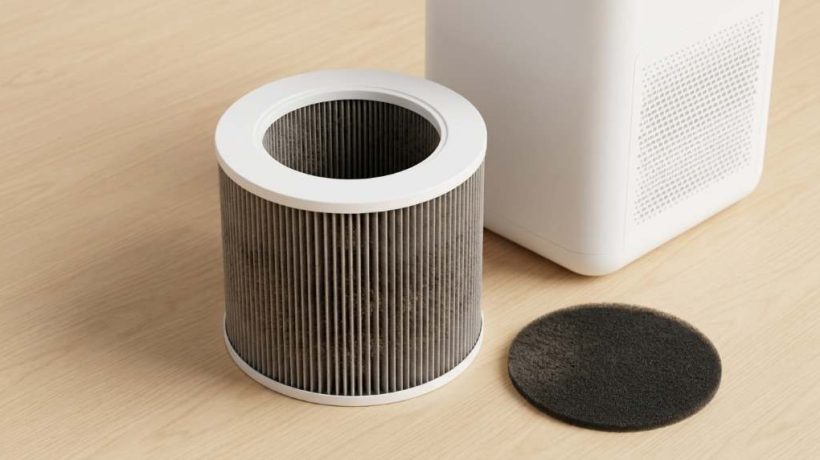
Choose a replacement filter by matching your exact Core Mini model, filter code, size, and filtration design. The Core Mini Replacement Filter should also provide the correct particle and odor filtration for your room. Modern Core Mini filters use three filtration stages, while the main filter can capture up to 99.97% of particles at 0.3 microns.
However, filter listings often use similar names, which can make ordering confusing. Therefore, checking compatibility before buying prevents poor fit, wasted money, and reduced purifier performance.
Key Takeaways
- Match the replacement filter with your exact Core Mini model.
- Check the filter code before trusting a marketplace product title.
- Look for compatible particle, prefilter, and carbon filtration stages.
- Confirm the cylindrical shape and physical dimensions before ordering.
- Inspect packaging carefully and remove protective plastic before use.
- Clean the washable exterior prefilter when appropriate, but replace the main filter as needed.
Start With Your Exact Core Mini Model
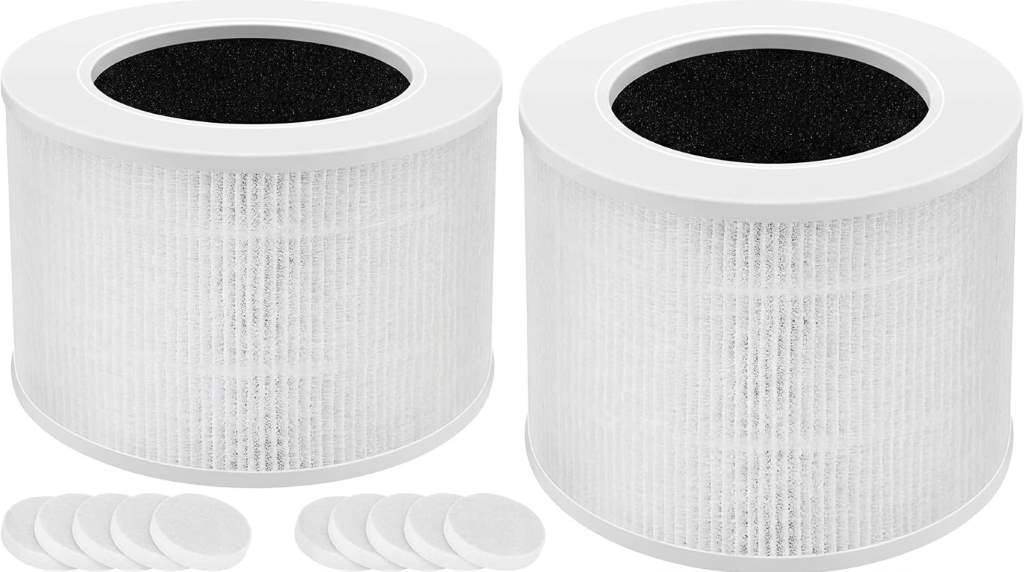
The model name gives you the first compatibility clue, but it should not provide your only check. Levoit sells replacement filters under closely related Core Mini product names.
For that reason, inspect the identification label on your purifier before opening a shopping page. Record the complete model name, including any letters or suffixes shown after Core Mini.
Core Mini And Core Mini P Need Careful Checking
One major buying mistake involves treating every Core Mini filter as automatically interchangeable. Current manufacturer listings show separate replacement filter products for Core Mini and Core Mini P models.
Therefore, do not rely only on the phrase Core Mini in a marketplace title. Match your purifier model with the replacement filter description, product code, and packaging information.
Check The Filter Code Before Buying
Product codes provide a stronger identification method than generic marketplace descriptions. A seller can accidentally use a broad title, while the printed filter code identifies the actual replacement cartridge.
Look for the reference number on your existing filter, purifier documentation, or the manufacturer’s product information. Then compare that reference with the replacement listing before completing your purchase.
Why Product Codes Matter
Core product families often contain several purifiers with different filter shapes and airflow requirements. A similar looking cartridge can still fail to seat correctly inside your purifier.
Consequently, matching the code reduces confusion between Core Mini, Core 200, Core 300, and other Core series models. Never assume that similar branding means interchangeable filters.
Understand The Three Filtration Stages
A good replacement filter should support the filtration system designed for your purifier. The Core Mini filtration design combines a prefilter, main particle filter, and activated carbon layer.
Each layer performs a different task, so the complete cartridge matters. Buying a cartridge with missing or inferior layers can change how the purifier handles dust, fine particles, and odors.
Prefilter
The prefilter catches larger particles before they reach the main filtration material. Hair, dust, and larger airborne debris can collect on this outer layer during normal use.
Keeping this surface reasonably clean can reduce unnecessary loading on the deeper filter material. However, follow the purifier’s maintenance instructions before washing or cleaning any filter component.
Main Particle Filter
The main filter handles much smaller airborne particles that pass through the prefilter. Current manufacturer information describes filtration capable of removing 99.97% of particles down to 0.3 microns.
This stage matters most when you want filtration for fine dust, smoke particles, pollen, and similar airborne contaminants. Therefore, inspect the filter specification instead of relying on vague terms such as high quality.
Activated Carbon Layer
Activated carbon targets gases and household odors rather than simply trapping particles. This layer can matter when cooking smells, pet odors, smoke, or other unwanted smells concern you.
Therefore, avoid replacement cartridges that focus only on particle filtration when odor control matters. A complete filter should retain the carbon layer required by the purifier’s design.
Compare Original And Third Party Filters Carefully
Third party filters can appear attractive because sellers often emphasize lower cost or multiple filters per package. However, compatibility involves more than matching the outside shape.
Manufacturers design filters around airflow resistance, sealing, filtration media, and internal dimensions. A poorly matched cartridge can create gaps, airflow problems, or inaccurate replacement reminders.
When An Original Filter Makes Sense
An original filter provides a straightforward compatibility path because the manufacturer designs it for the specified purifier. It also makes product identification easier when the listing provides a verified model and filter reference.
Moreover, some purifier systems use filter life algorithms or indicators that depend on the expected filter design. Therefore, an original cartridge can reduce uncertainty when those features matter to you.
What To Check With Third Party Filters
If you consider a third party option, examine its complete specifications rather than its headline claims. Check the exact compatible models, filter dimensions, filtration stages, and material descriptions.
Also, inspect customer feedback for recurring complaints about loose fits, strong odors, damaged filters, excessive airflow noise, or poor construction. Several specific complaints can reveal problems that a product title will not show.
Confirm The Physical Fit Before Ordering
Filter compatibility also depends on physical dimensions and shape. The Core Mini uses a compact cylindrical filter design, so the cartridge must fit the purifier housing correctly.
Measure your existing cartridge if you cannot confirm the replacement code. Compare its diameter, height, opening, and overall shape with the replacement specification.
Check These Measurements
- Overall filter height
- Outer diameter
- Inner opening diameter
- Filter shape
- Top and bottom construction
- Sealing surfaces
Do not force a replacement cartridge into the housing when the fit feels unusually tight. Likewise, avoid operating the purifier with a cartridge that leaves obvious gaps around the sealing area.
Match The Filter To Your Indoor Air Concerns
Your room conditions should influence the filtration features you prioritize. A bedroom with ordinary dust creates different demands than a room exposed to cooking odors or smoke.
For general dust, pollen, and pet dander, focus on the particle filtration stage and proper fit. For odor concerns, give additional attention to the activated carbon layer.
For Pet Owners
Pet owners should look for strong prefilter coverage because hair and larger debris can accumulate quickly. Regular surface cleaning can also help maintain airflow around the filter.
However, do not expect the filter to replace regular cleaning throughout the room. Vacuuming floors, bedding, furniture, and pet areas still reduces the amount of debris entering the purifier.
For Smoky Environments
Smoke introduces both particles and gases, so filtration needs involve more than particle capture. A replacement filter with an activated carbon layer can provide broader filtration than a particle filter alone.
Even so, an air purifier does not eliminate every source of indoor smoke. Remove the source whenever possible and provide appropriate ventilation when conditions allow.
For Cooking Odors
Cooking can produce fine particles and persistent odors at the same time. Therefore, a replacement cartridge with both particle filtration and activated carbon provides a more suitable combination.
Place the purifier where it can receive room air without blocking its intake or outlet. Good airflow around the unit helps the filter process air efficiently.
Know When The Filter Needs Replacement
Do not judge filter condition only by calendar age. Actual filter loading depends on room conditions, operating frequency, particle levels, pets, smoke exposure, and other factors.
Instead, monitor the filter indicator when your purifier provides one. Also inspect the filter for visible loading, unusual odors, restricted airflow, or declining performance.
Common Replacement Warning Signs
- The filter surface looks heavily loaded with dust.
- Airflow feels weaker than normal.
- Unwanted odors remain noticeable despite regular operation.
- The purifier displays a replacement reminder.
- The purifier operates differently after extended use.
These signs do not always prove that the filter caused every performance issue. Still, they provide useful reasons to inspect the cartridge and review the purifier’s maintenance instructions.
Handle And Store Replacement Filters Correctly
Replacement filters often arrive sealed to protect the filtration material during storage. Keep the cartridge sealed until you are ready to install it.
After opening the package, remove every protective plastic layer before operating the purifier. Leaving packaging around the cartridge can restrict airflow and prevent proper filtration.
Store unused filters in a clean, dry location away from excessive moisture and contamination. Avoid placing heavy objects on the cartridge because deformation can affect its fit.
Install The Replacement Filter Properly
Turn off the purifier and disconnect power before replacing the cartridge. Then remove the old filter according to the manufacturer’s installation sequence.
Clean the surrounding filter compartment before installing the new cartridge. Next, position the replacement filter correctly and make sure it sits evenly inside the housing.
Use This Installation Checklist
- Switch off and unplug the purifier.
- Remove the old cartridge carefully.
- Clean loose dust from the filter compartment.
- Remove protective packaging from the new filter.
- Seat the cartridge evenly and securely.
- Close the housing completely.
- Reconnect power and check normal operation.
- Reset the filter reminder when the model requires it.
After installation, listen for unusual sounds and check airflow from the purifier. A strange noise or poor fit deserves inspection before extended operation.
How To Avoid Common Buying Mistakes
Many replacement filter problems begin before the filter reaches the purifier. Buyers often search by a broad product name and purchase the first visually similar cartridge.
Instead, follow a fixed verification process every time. Confirm the model, filter code, dimensions, filtration stages, seller details, and package contents before ordering.
Mistake 1: Matching Only The Brand
Knowing that the purifier comes from Levoit does not identify the correct filter. The brand produces several Core series models with different replacement cartridges.
Always narrow the search to the exact purifier model. Then verify the replacement filter against manufacturer information.
Mistake 2: Ignoring The Model Suffix
Small differences in model names can create large compatibility problems. Therefore, read every letter and number on the purifier label.
Do not treat Core Mini and Core Mini P as interchangeable without confirming the exact replacement specification. This simple check can prevent an unnecessary return.
Mistake 3: Buying By Appearance
A cylindrical filter can look correct while using different dimensions or filtration materials. Consequently, visual similarity should support compatibility research, not replace it.
Compare specifications and filter codes before judging a cartridge by appearance. This approach works especially well when marketplace listings use generic product photography.
Mistake 4: Forgetting The Carbon Layer
Some buyers focus only on particle filtration and overlook odor control. If smells matter in your room, verify that the replacement includes activated carbon.
This distinction becomes especially useful around kitchens, pets, smoke, and other odor producing environments. Match the filter’s function with your actual indoor air concerns.
A Simple Buying Checklist
Use the following checklist whenever you need another replacement cartridge. It turns a confusing product search into a short verification process.
- Identify the exact purifier model.
- Record the complete model suffix.
- Find the replacement filter reference.
- Compare physical dimensions.
- Confirm the three filtration stages.
- Check particle filtration specifications.
- Confirm activated carbon coverage.
- Review seller and packaging details.
- Check the number of filters included.
- Confirm return eligibility before ordering.
Following these steps takes less time than dealing with an incompatible cartridge later. More importantly, it helps maintain consistent airflow and filtration performance.
What Competitor Guides Often Miss
Many replacement filter pages focus heavily on product descriptions and basic compatibility. However, buyers also need help distinguishing closely named Core Mini models before placing an order.
This distinction creates one of the most important content gaps around the topic. A useful guide should explain model suffixes, filter codes, physical fit, filtration layers, installation, and replacement warning signs together.
Another overlooked area involves buying decisions beyond authenticity. Readers need practical guidance for comparing original and third party filters without relying on price alone.
Therefore, inspect filtration construction, compatibility evidence, dimensions, packaging, seller information, and customer feedback. These checks provide stronger evidence than a generic claim such as premium replacement.
Core Mini Filter Questions Answered
How do I know which Core Mini filter I need?
Match the exact purifier model and filter reference with the replacement cartridge before ordering.
Does every Core Mini use the same replacement filter?
No, verify the exact model and suffix because related Core Mini products can have separate replacement listings.
How often should I replace the Core Mini filter?
Replace it according to the purifier indicator, manufacturer guidance, and actual filter condition rather than relying on one fixed schedule.
Can I use a third party Core Mini filter?
You can consider one when its model compatibility, dimensions, filtration stages, and construction clearly match your purifier.
Does the Core Mini filter remove odors?
Yes, the activated carbon layer helps reduce household odors and certain gases while the other stages handle airborne particles.
Final Buying Advice
The safest way to select a Core Mini replacement filter starts with exact identification. Match the purifier model, suffix, filter reference, dimensions, filtration stages, and package details before buying.
Then consider your room conditions and choose filtration that addresses your actual needs. Before installation, inspect the cartridge, remove its protective packaging, and ensure it seats correctly.
If you need a replacement now, use the checklist above before placing your order. Taking a few minutes to verify compatibility can help your Core Mini deliver dependable filtration without unnecessary returns.