How to Calibrate an Etekcity Kitchen Scale

Why the Instant Pot Duo is a Kitchen Must
August 9, 2026
How to Dry Greens in the OXO Salad Spinner
August 9, 2026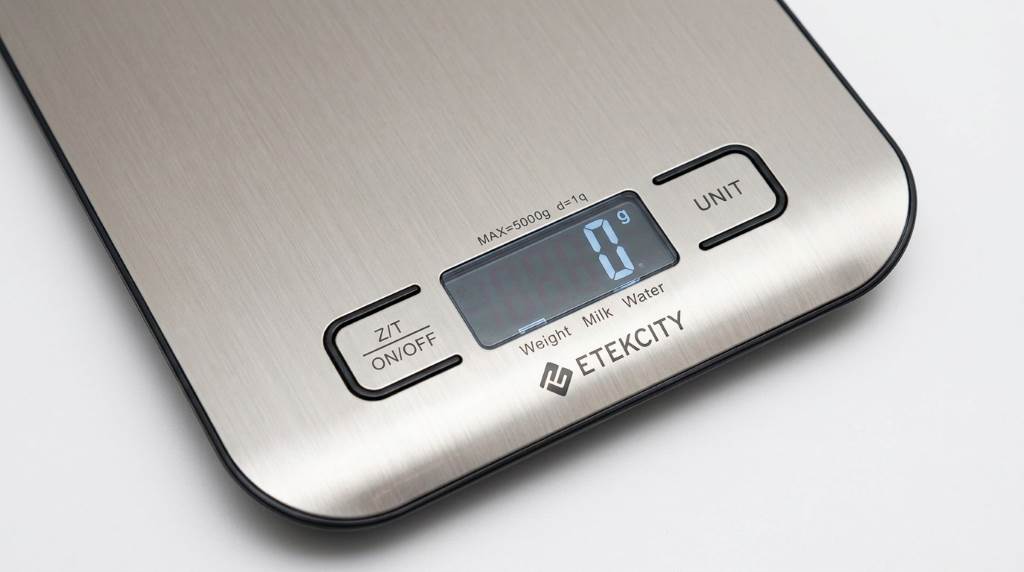
An Etekcity kitchen scale usually needs calibration only when readings become clearly inaccurate. First, check your model manual because calibration steps differ between Etekcity scales. Many current Etekcity kitchen scales measure up to 11 lb or 5,000 g. The EK6212 supports up to 13 lb or 6 kg. For a reliable reference, an Etekcity food kitchen scale should sit on a firm, level surface before testing.
Why Calibrating an Etekcity Kitchen Scale Matters
A kitchen scale converts pressure on its sensors into a displayed weight. Over time, movement, impacts, dirt, batteries, and uneven surfaces can affect readings. Therefore, calibration helps confirm whether the scale responds correctly to known weights.
However, calibration does not solve every accuracy problem. A damaged sensor, weak battery, unstable counter, or overloaded platform can still cause incorrect results.
Etekcity states that users should follow model specific instructions when manual calibration exists. The company also recommends a flat surface and stable weighing conditions for accurate results.
Check Your Etekcity Model Before Calibration
Start by finding the model number on your scale or its packaging. Common models include EK6212, EK3551, EK6015, EK7090, EK9000, and EK8060.
Next, visit Etekcity’s official manual library and search using that model number. Etekcity provides downloadable manuals for many current and older kitchen scales.
This step matters because different models can use different buttons and calibration procedures. Never force a calibration method from another model onto your scale.
Look for a Calibration Function
Check your manual for terms such as calibration, calibrating, CAL, reference weight, or known weight. If your manual does not provide calibration instructions, the model may not support manual calibration.
For example, the EK6212 manual includes a dedicated calibration procedure using two known weights. Other Etekcity kitchen scales may focus on correct placement, zeroing, and measurement checks instead.
What You Need Before Calibration
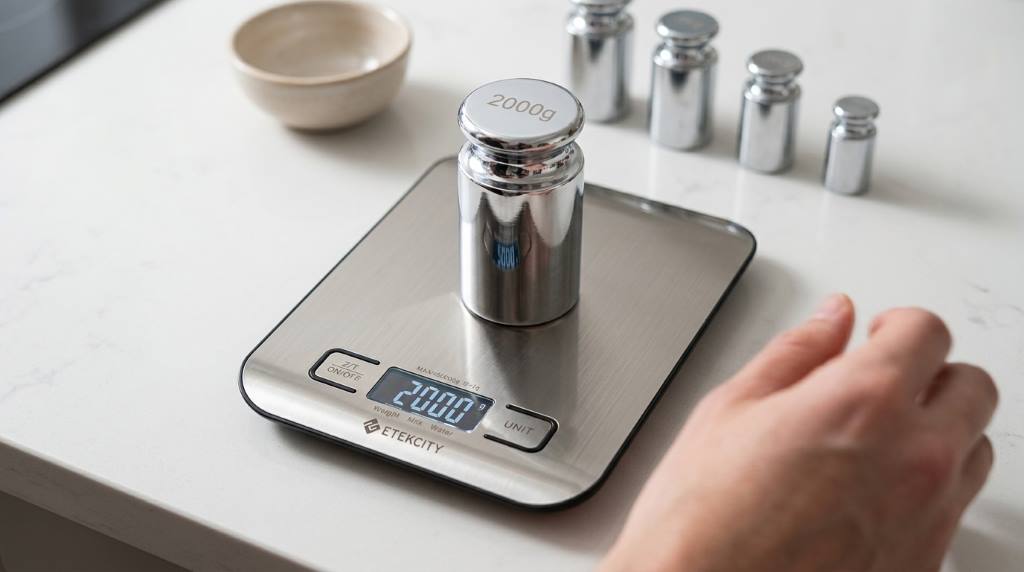
Prepare the scale, suitable reference weights, fresh batteries, and a clean working surface. Use certified calibration weights whenever possible because their stated mass provides a dependable reference.
Keep the scale away from fans, open windows, vibrating appliances, and strong airflow. Also remove crumbs, flour, grease, and other debris from the weighing platform.
- A clean Etekcity kitchen scale
- A hard and level counter
- Fresh batteries when needed
- Correct reference weights for your model
- The correct Etekcity user manual
Do not use random household objects as calibration weights unless your manual specifically allows them. A known reference mass produces a much more useful accuracy check.
How to Calibrate an Etekcity Kitchen Scale
The exact process depends on the model, so use these steps as a model based guide. The EK6212 provides one of the clearest documented Etekcity calibration procedures.
Step 1: Place the Scale Correctly
Place the scale on a hard, dry, flat, and stable surface. Keep the weighing platform clear before switching the scale on.
Also check the feet underneath the scale for dirt or debris. Uneven feet can prevent the platform from resting correctly.
Etekcity manuals warn that dust, vibration, wind, air currents, and electromagnetic interference can affect measurements.
Step 2: Check the Battery
Install fresh batteries if the display shows a low battery warning. Weak batteries can create inconsistent operation and unreliable readings.
Make sure every battery follows the polarity marks inside the compartment. Then close the battery cover securely before testing the scale.
Step 3: Turn the Scale On
Press the power button and wait until the display reaches zero. If the display does not show zero, reset the scale before weighing.
On some Etekcity models, the power button also performs the zero or tare function. Your manual should confirm the correct button operation.
Step 4: Enter Calibration Mode
For models with manual calibration, follow the exact button combination listed in the manual. Do not assume every Etekcity scale uses the same sequence.
For example, the EK6212 requires pressing and holding the UNIT and ON/OFF buttons together. Random digits then appear before the next calibration step.
Step 5: Apply the Required Reference Weight
The scale will display the reference weight required for its calibration process. Place the correct weight carefully in the center of the platform.
The EK6212 first displays 2 kg and then requires a 2 kg reference weight. It later displays 5 kg and requires a 5 kg reference weight.
Keep your hands away from the platform while the scale measures. Wait until the display responds before adding or removing anything.
Step 6: Confirm the Calibration
Watch the display for the confirmation message specified by your model. On the EK6212, successful calibration produces the word PASS.
If calibration fails, repeat the procedure with the correct weights and stable placement. Check the manual again before attempting another method.
How to Check Accuracy After Calibration
Calibration should always end with an independent accuracy check. Remove the calibration weight, reset the scale, and wait for a stable zero reading.
Then place a known reference weight on the platform. Record the displayed measurement and compare it with the reference weight.
Repeat the test several times to identify inconsistent readings. A scale that gives different results each time may have another problem.
Use Multiple Reference Points
Testing more than one weight gives you a better picture of scale performance. Try a lighter weight and another weight closer to your normal cooking range.
For example, you might test 100 g, 500 g, and 1,000 g when your model supports those measurements. Keep every weight centered and allow the reading to stabilize.
Do not expect every model to display decimal gram readings. Some Etekcity models use 1 g increments, while other models offer different resolutions.
What to Do If Your Etekcity Scale Reads Incorrectly
Calibration may not be necessary when a scale simply needs proper zeroing. Place the empty scale on a stable surface and wait for zero before measuring.
Next, inspect the platform and feet for debris. Even small particles can interfere with stable placement and produce confusing readings.
Check for Overloading
Every kitchen scale has a maximum weight capacity. Exceeding that limit can trigger an error and may damage the scale.
Many Etekcity models support up to 11 lb or 5,000 g. However, some models support different capacities, so check your specific specifications.
Replace Weak Batteries
A low battery indicator deserves attention before you blame calibration. Replace the batteries and repeat your accuracy test afterward.
Use matching batteries and install them according to the polarity markings. Then allow the scale to reach zero before testing.
Inspect the Weighing Surface
Keep the platform clean and dry during normal use. Etekcity manuals advise against immersing kitchen scales in water or corrosive liquids.
Instead, follow the cleaning instructions for your exact model. A soft cloth can remove surface residue without exposing sensitive electronics to excess moisture.
Common Calibration Mistakes to Avoid
Many accuracy problems come from using the wrong procedure rather than a defective scale. Fortunately, most mistakes are easy to prevent.
- Using calibration instructions for another model
- Placing the scale on an uneven surface
- Using an incorrect reference weight
- Touching the platform during calibration
- Ignoring low battery warnings
- Calibrating when the scale only needs zeroing
- Exceeding the scale’s maximum capacity
- Testing beside strong airflow or vibration
Most importantly, never guess the required calibration weight. Your model manual should provide the correct sequence and reference values.
When You Should Calibrate Your Etekcity Scale
Etekcity does not recommend calibrating every kitchen scale after every use. The EK6212 manual specifically says calibration becomes necessary when readings appear obviously incorrect.
Consider checking accuracy after moving the scale, dropping it, replacing batteries, or noticing repeated measurement errors. Regular accuracy checks can also help detect problems before they affect recipes.
For everyday cooking, focus first on correct placement, zeroing, stable readings, and proper cleaning. These habits often matter more than repeated calibration.
How to Keep Your Scale Accurate
Good daily habits can reduce the need for calibration. Always place the scale on the same type of hard, level surface whenever possible.
Keep heavy objects away from the platform when the scale sits unused. Store the scale in a dry location where impacts and pressure cannot damage the sensors.
Also avoid weighing ingredients near open windows or running fans. Air movement can affect lightweight ingredients and make small readings less stable.
When measuring several ingredients, use the tare function between ingredients. This approach keeps the container weight out of your ingredient measurements and simplifies multi ingredient recipes.
Calibration Versus Zeroing: Know the Difference
Calibration adjusts or verifies the scale against a known reference mass. Zeroing simply tells the scale that the current unloaded platform should read zero.
Therefore, pressing the tare button does not automatically calibrate the scale. It only resets the displayed weight for the current weighing session.
If your scale reads zero correctly but measures a known 500 g weight incorrectly, investigate calibration. If it fails to reach zero, first check placement, debris, and the reset function.
When Calibration Does Not Fix the Problem
A successful calibration should improve confidence in the scale’s measurements. However, persistent errors can indicate damaged sensors or internal hardware problems.
Stop using the scale for precision work if readings remain unstable after proper testing. Contact Etekcity support or consult the official manual for model specific troubleshooting.
Etekcity maintains an official library containing manuals for many kitchen scale models. That resource provides the safest starting point for model specific instructions.
Final Tips for Reliable Kitchen Measurements
Accurate weighing starts with proper setup rather than calibration alone. Keep the scale level, clean, stable, and within its rated capacity.
Then verify suspicious readings with a known reference weight. If your model supports calibration, follow its exact manual procedure instead of using generic instructions.
Finally, save your model manual for future reference. That small step prevents incorrect button sequences and helps protect the scale from unnecessary adjustments.
Conclusion
Calibrating an Etekcity kitchen scale can restore confidence when readings become clearly inaccurate. However, the correct procedure depends on your exact model and its supported calibration function.
Start by checking the model number, preparing a stable surface, and finding the official manual. Then use the specified reference weights and confirm the result with additional accuracy tests.
For the best results, make accurate placement and regular testing part of your kitchen routine. Check your Etekcity model manual before calibration, and replace the scale if proper troubleshooting cannot restore reliable readings.
Frequently Asked Questions
How often should I calibrate an Etekcity kitchen scale?
Calibrate only when your model supports it and readings become obviously inaccurate or inconsistent.
Can I calibrate every Etekcity kitchen scale?
No, calibration functions vary by model, so check the specific Etekcity manual before attempting calibration.
What weight should I use for calibration?
Use the exact reference weight specified by your model manual, such as 2 kg and 5 kg for the EK6212.
Why does my Etekcity scale show different readings?
Uneven placement, debris, airflow, vibration, weak batteries, and sensor problems can cause inconsistent measurements.
Does the tare button calibrate the scale?
No, the tare function resets the current displayed weight but does not perform a full calibration.